How to Convert MSG to PST – Guide for Outlook Users


Converting MSG to PST is a common need if you are an Outlook user and want to consolidate backup or migrate your email data. With the help of my 16 years of experience in email conversions and migration I will guide you how to convert MSG to PST safely.
This will include the best manual methods and when it makes sense to use a professional solution. If you are ready to convert an MSG file to PST this article explains every step clearly as many users still struggle today to convert without losing attachments or folder hierarchy and that is why we will also cover expert tips and avoid errors and also ensure your data integrity while you convert in bulk.
By the end you will know exactly how you convert MSG Files to PST format with confidence and complete control.
Table of Contents:
- Why Conversion Needed
- Why MSG Conversion Becomes Difficult
- Important Notes Before Converting
- Convert Using Free Manual Ways
- Why Manual Methods Fail at Scale
- Safe Way to Convert MSG to PST
- Manual vs Professional Tools
- How to Convert Using DataHelp Software
- Best Practices During Conversion
- Frequently Asked Questions
- Conclusion
Why Do You Need to Convert MSG to PST?
So now converting individual MSG files to a single PST format is essential in several scenarios and you can check these below-
- If you want to convert to PST for Outlook import.
- If you want to archive your old emails into a single file.
- If planning to migrate mailboxes between systems.
- You are consolidating your messages from multiple sources.
Let me tell you without conversion the Outlook cannot natively open multiple standalone MSG files in a batch. You can see what problems users faced during conversion with some of the realistic problems.
Why Converting Becomes Difficult for Many Users?
- Outlook does not let you bulk import MSG files.
- Dragging and dropping many files can be slow or maximum fail.
- Chances to lose your attachments.
- The folder structure does not remain intact.
Important Notes on How to Convert MSG to PST
- Always Backup your important data first – You must create a backup of your MSG files before attempting any conversion methods.
- Check the Outlook version – Do you know some methods that are more reliable in Outlook 2016/2019/365.
-
Warning: Improper conversion can lead to data loss including missing attachments or corrupted folder hierarchy so always be actively smart to keep every bit of your data.
Free Manual Ways to Convert MSG Files to PST in Outlook
Method 1 – Convert MSG to PST via Outlook
Let me tell you that these are free methods and with the help of this method you can convert to PST by using built in Outlook features. It is suitable for a small number of files but has limitations for batch converting MSG to PST processing.
Steps to Convert MSG to PST Manually
Below these manual methods are slow but Free to use so you can use this by following these steps carefully
- Close Outlook if it is open.
- Next create a new folder on your desktop and move all MSG files there.
- Now open Outlook.
- Go to File > Open & Export > Import/Export.
- Next choose Export to a file – Next.
- Select Outlook Data File (.pst) – Next.
- Choose the new folder you created and check Include subfolders.
- Just click Finish.
Method 2 – Drag & Drop MSG into Outlook to Convert
This approach also works only when you have fewer files and you want to move them into an Outlook folder before exporting to PST. To execute you just need to follow these steps mentioned below-
- Open Your Outlook.
- Open the folder with your MSG files.
- Select all MSG files and drag them into a new folder in Outlook.
- And once you imported just follow the Import/Export wizard
These Methods Also Comes With Numbers of Limitations
- Not ideal for large files.
- Very Slow Methods.
- Outlook might freeze during import.
Why Manual Methods Often Fail at Scale
Let’s be honest:- manually dragging and exporting is fine for limited numbers like 10 to 20 emails but when you have a large file of hundreds or thousands the process becomes unreliable here. Also there are numerous limitations of manual methods which you can check below
- No automation
- No bulk filters available
- No easy way to maintain folder structure
- Not reliable in use
- Time consuming process
To overcome these challenges you should use a professional approach that will automate your process and give you secure data processing with accurate folder structure.
Safe Way to Convert MSG to PST
Using Professional DataHelp MSG to PST Converter Software is the best and reliable option as it is designed for quick, secure, and you can convert and export in bulk without any data loss as It also preserves your-
- Attachments
- Folder hierarchy
- Email metadata
- Unicode PST output
Manual vs Professional Tools – Which One Should You Choose?
A side-by-side comparison to help you understand the limitations of manual methods and the advantages of professional tools
| Feature | Manual Method | Professional Tool |
|---|---|---|
| Bulk Conversion | ❌ | ✔️ |
| Folder Hierarchy | ❌ | ✔️ |
| Attachments Preservation | ❌ | ✔️ |
| Speed | Slow | Fast |
| User Control | Basic | Advanced Filters |
How to Convert Using DataHelp Software
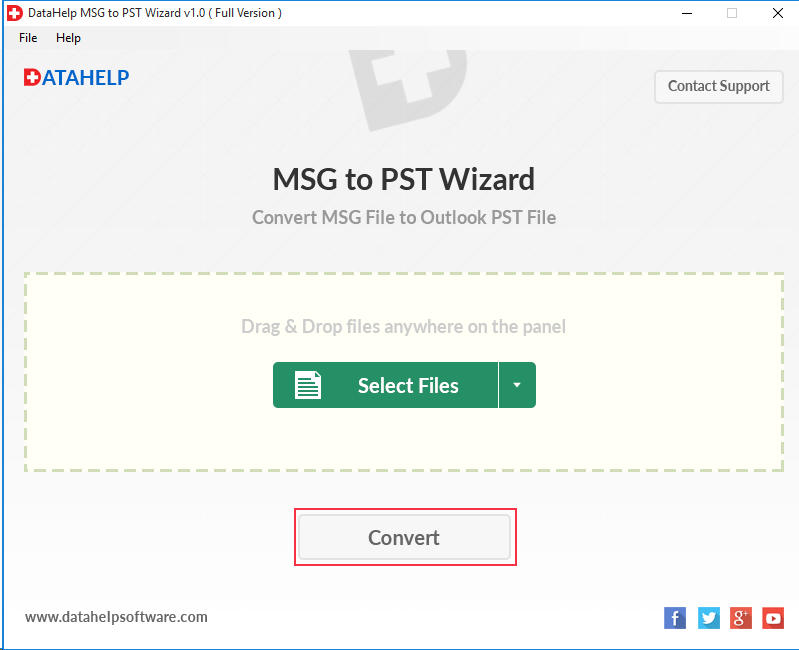
You can easily convert just using simple and few drag and drop options find all steps below.
- Download and install the DataHelp MSG to PST conversion for Outlook.
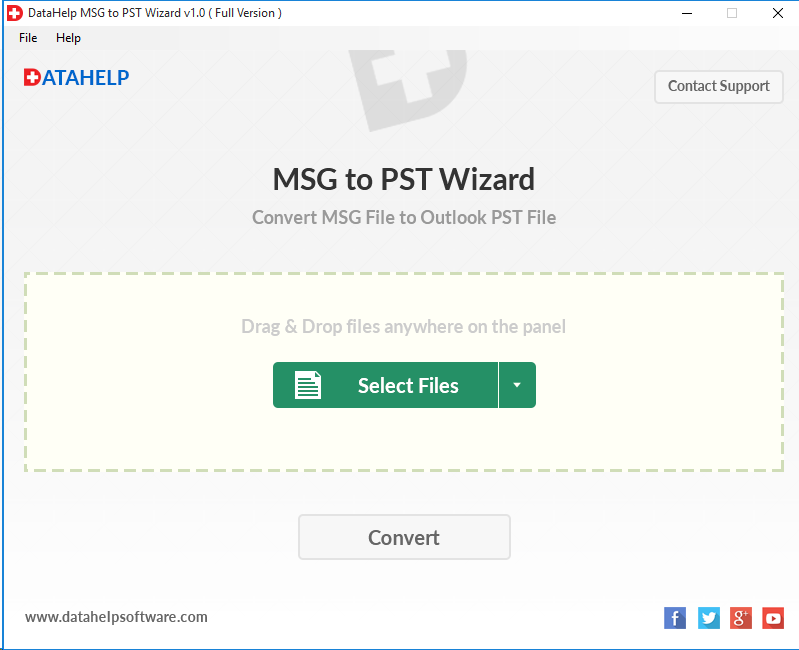
- Now launch the tool.
- Click Add Files or Drag & Drop MSG files into the interface.
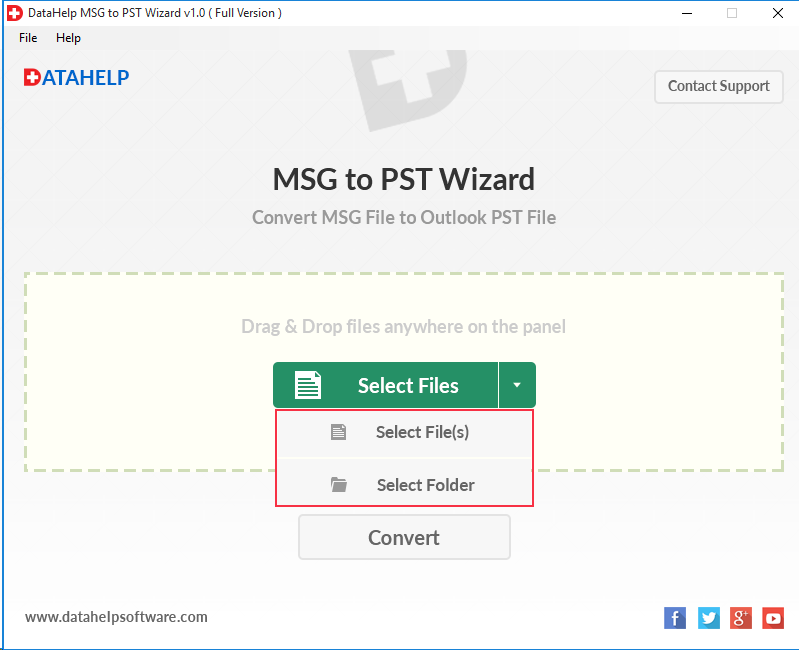
- Preview your selected emails.
- Choose PST as the output format.
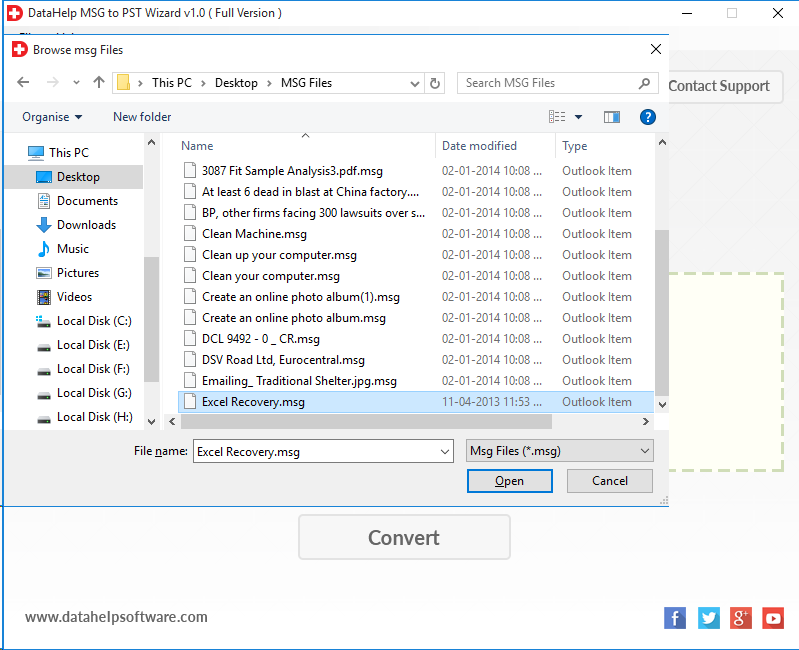
- Select the destination folder.
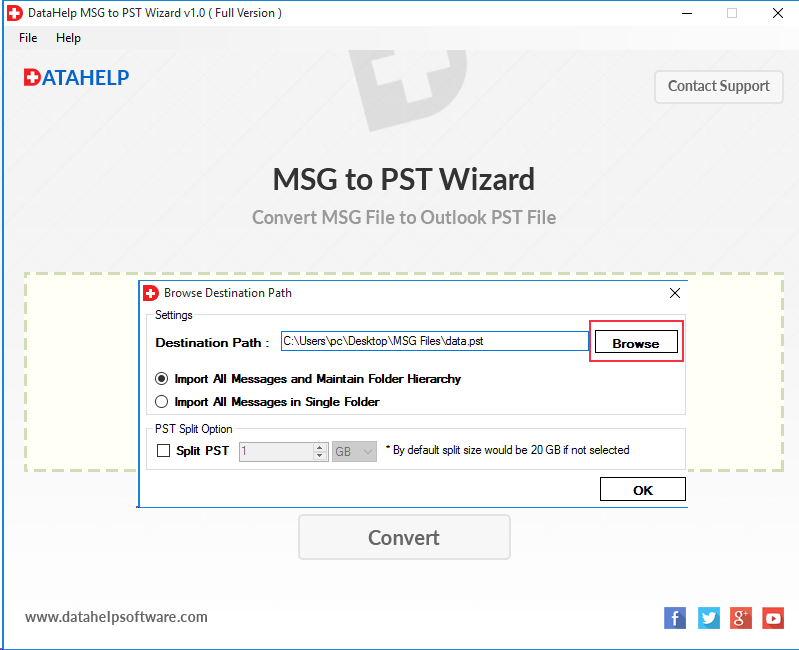
- And click Convert.
Best Practices When You Convert MSG to PST
To make sure nothing goes wrong you just need to make sure to follow these checklist
- Always work on a copy of your MSG files.
- Maintain folder structure if required.
- Before exporting you need to Close Outlook.
- You need to avoid system shutdown during the conversion.
You Can Also Read: How to Open MSG File in Thunderbird Easily
Frequently Asked Questions
Q1: Can I convert MSG files to PST without Outlook?
A: Yes you can convert with the help of our reliable tools that allows you to convert without Outlook installed.
Q2: Is it safe to convert MSG to PST in bulk?
A: Yes absolutely safe as when it is done with tools it ensures the complete data integrity.
Q3: Will attachments be preserved?
A: Using our professional tools retain all your attachments and metadata. So do not need to worry about it at all.
Conclusion
As we now already understand converting manually may work well for limited emails only but if you have hundreds or thousands of emails it is completely unreliable. So if you need a reliable yet fast and secure way to export files from MSG to PST then the best is to use a professional solution that will save your time and protect your data by simplifying the process.
So whether you are backing up messages, migrating your mailboxes or consolidating archives – you now know how to convert MSG to PST with confidence and accuracy.