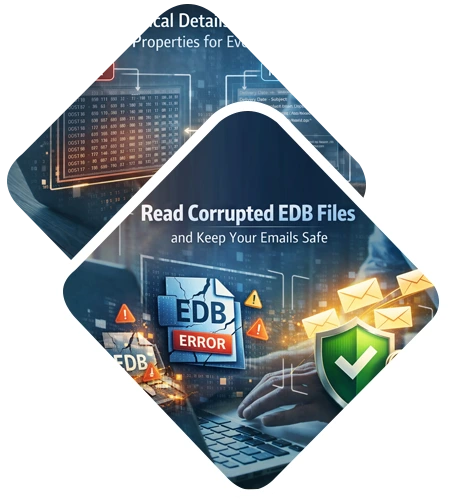
The DataHelp EDB Viewer Tool helps you open and reads Exchange EDB files without email server. Software lets you browse through emails, contacts, calendars and notes even if the file is corrupted.
Free Live - Trusted Worldwide, DataHelp Freeware EDB Viewer Software Fully Secured Download Version.
Virus Total Safe
Download with Confidence: Certified Clean by 70+ Antivirus Engines
What Can Be Viewed From the EDB Files?
Mailboxes
Browse through all the individual user accounts and their folder structures.
Calendar & Contacts
Check your scheduled meetings, appointments and the list of saved contacts.
Public Folders
Access shared data and folders that were used by your team or office.
Deleted Items
You can even see items from the Deleted Items folder that have not been removed.
Quick Migration
The DataHelp EDB File Opener Tool allows you to read corrupted EDB files and keep your emails safe.
Advance and Accurate
DataHelp Software Capabilities
Key Features of DataHelp Freeware EDB Viewer Wizard
Using EDB file viewer software, the user can open and view all the Exchange mailbox items without installing any other email client. The software can load each mailbox within the EDB file including all data items in it. It also generates the instant preview of all items i.e. emails, contacts, calendars, tasks, notes, etc.
The exchange EDB file opener initially fetches all the required information created from a versatile email client supporting EDB files. However, users will be capable of viewing all emails with their respective properties such as To, Subject, Date, CC, BCC and maintain the email attachments too.
In order, the utility is designed to open and preview the EDB mailboxes in it. Also, the Free EDB Explorer software will perform a quick scan of the file. In case the EDB file is highly damaged or corrupted, then advanced scanning is present with the help of this feature, the user can view the data from corrupt EDB files.
The Exchange EDB reader utility provides an option to easily recover a corrupt EDB file in two different ways:
EDB file explorer software does not require installing any email clients to perform its functions. It does not require Exchange or Outlook to be available on the source machine. Moreover, the unlimited file of any size can be easily supported by this tool without any issues.
With the help of Exchange EDB viewer software, the user can easily view and explore any size of Exchange EDB files. There is no maximum size limit implied while opening such .edb files. Also, this freeware provides an interactive graphical interface so that the user can open and read .edb files within a few quick steps.
Why Choose DataHelp Software?
DataHelp EDB Viewer Tool
Other Online EDB Reader Tools
Software - Technical Specifications
100% Safe & Secure Download
Resources and guide how to use DataHelp EDB Viewer Tool
How to View and Read EDB Files?
DataHelp EDB Reader Comparison - Free vs Paid
| Feature and Capability | Free Edition | Pro Edition | Pro+ Edition |
|---|---|---|---|
| Add EDB Files | |||
| Auto Scan Mode | |||
| Preview | |||
| View Emails with Attachments | |||
| Support Windows 11 & All Previous Versions | |||
| Advance Search | |||
| Naming Options | |||
| Date Filter | |||
| Save & Export to PDF, EML, PST, MSG | PDF Only | ||
| Cost | Free | $69 | $129 |
| Buy Links | Download Now | Buy Now | Buy Now |
How DataHelp Software Works?
01
Open EDB File
Select the file that you want to read and open it using the tool.
02
Scan the Data
Press the process button to scan the data in the file that you have selected.
03
Preview EDB File
Use the different preview modes provided by the tool to view the file in various modes.
04
Save the File
This tool also provides an option to save and export the file but you have to upgrade to the Pro version for that.
Trusted by Professionals Worldwide
DataHelp Software Offering Best and Secure Free EDB Viewer Tools.
Customer Reviews
Great for a Quick Forensic Check
This tool allowed me to open an EDB file without rebuilding the Exchange server when I needed to find a particular email in an old database. It was very helpful and it is a practical EDB file reader for lookups.
Ali Umani, UAE
Saved Me During a Server Crash
I was unable to access a mailbox when my Exchange server went down but this tool helped me to see the messages while the server was offline. It is effective as it can handle large files without crashing or slowing down your computer.
Moreau N, France
No Training Needed
I have to read Exchange EDB database files for a client and this tool is user-friendly and works like a regular email application. I was able to read the files easily and complete my work.
Altorz Taylor, New Zealand
Simple Archives Accessing
I had EDB backups from 2018 that I could not access but this EDB viewer tool opened them in seconds. I was able to see all the attachments and headers without any issue.
Rodríguez, Spain
Effective Offline Alternative
I did not want to upload sensitive company information on an online website and was searching for an effective tool. This EDB file reader worked locally and was safer than any web-based tool for a private company.
Kusal Mendu, India
![]()
![]()
Frequently Asked Questions
No, the DataHelp EDB viewer tool is a standalone application that allows you to open EDB file data even if your server is offline.
Yes, this Exchange EDB viewer software includes a smart search feature that helps you find a particular message by date, subject or sender very quickly.
This EDB file reader is designed to scan and read Exchange EDB database files that are corrupted during a shutdown.
Yes, this EDB file reader provides a preview of your mailbox including emails, contacts, calendars and even deleted items.
This free EDB viewer works offline on your computer ensuring that your sensitive database never leaves the system unlike an online EDB viewer tool.
This EDB viewer can handle large databases without any size limits which ensures a smooth experience.