Download Best Free Windows MBOX Viewer Tool to Open MBOX files, read emails, view attachments, and analyze mailbox data securely without installing an email application.
Free Live Demo - Free MBOX Viewer Download for Windows โข Open, Read, and View MBOX Files Securely.

Virus Total Safe
Download With Confidence: Clean, secure and trusted software designed to safely open MBOX files on Windows.
Features for Viewing & Analyzing MBOX Files
Open MBOX Files
Access MBOX archives without installing additional email clients. The software allows View MBOX Files content directly from the source file.
Offline Analysis
All processing takes place on a local computer so no email data is uploaded to external servers making it suitable for privacy conscious users.
View Attachments
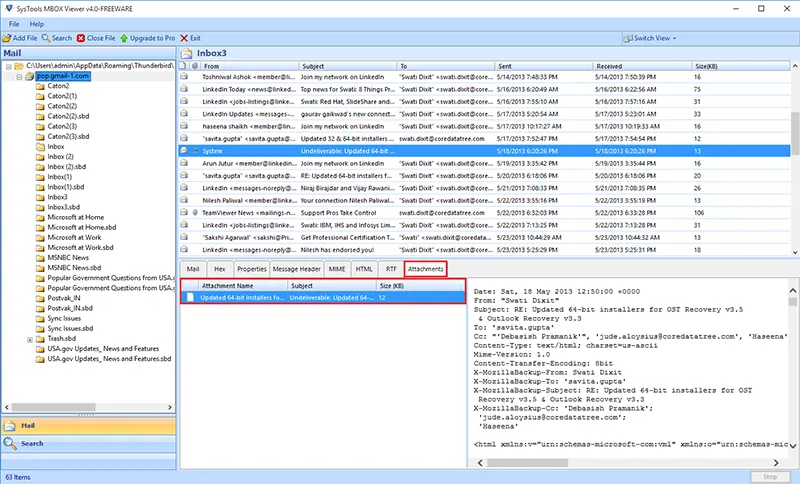
View Email Attachments quick Access attached documents, images and files directly from mailbox archives without modifying original data.
Analyze Folders
Analyze Mailbox Folders you can Browse Inbox, Sent, Drafts, Spam, Trash and other folders to review complete mailbox content.
Whether you need basic email viewing, advanced mailbox searching or professional export capabilities DataHelp's MBOX Viewer Tool offers the perfect solution.
Best For
Home Users, Students, Basic Email Viewing and Quick Mailbox Access.This edition helps to open MBOX files and review mailbox content without installing Thunderbird or other email clients.
Best For
Investigators, Compliance Teams, IT Professionals and Researchers. Pro edition adds advanced email searching and review capabilities.
Best For
eDiscovery Professionals, Legal Teams, Enterprise Users and AI Engineers. The Pro+ edition provides advanced export functionality for organizations.
Work Without Thunderbird
Many users receive MBOX files but do not have access to Thunderbird or the original email application. DataHelp MBOX Reader Tool allows users to read MBOX file data directly and view mailbox content without additional software dependencies.
This makes our software very useful for archived email access, mailbox reviews, compliance investigations and migration projects.
Open Mac MBOX Files
Users frequently migrate from macOS to Windows while retaining historical email archives. Since Apple Mail stores data in MBOX format and accessing these files on Windows OS can become difficult without specialized software. The Windows MBOX Viewer helps users open and analyze Mac generated MBOX files on Windows systems without requiring Apple Mail installation.
Professional capabilities designed for MBOX email viewing, investigation and analysis.
Large mailbox archives contain years of communication history. Standard email clients may struggle with oversized files that result in slow performance or application instability. Our software is designed to open large MBOX files efficiently maintaining original mailbox structure, attachments and message properties.
Ideal for:
Review email communications, attachments, mailbox folders & draft messages from MBOX files for legal reviews, compliance audits, internal investigations and communication history analysis. Go through the Inbox, Registered Documents, Deleted Documents, Junk, and Spam to avoid any important communications.
Review Mailboxes:
Key Features of DataHelp MBOX Viewer Tool
Allows you to view the data in a clean and organized format. This software supports files from over 20 email services including Google Takeout, Thunderbird, Apple Mail and Entourage unlike a basic online MBOX viewer software.
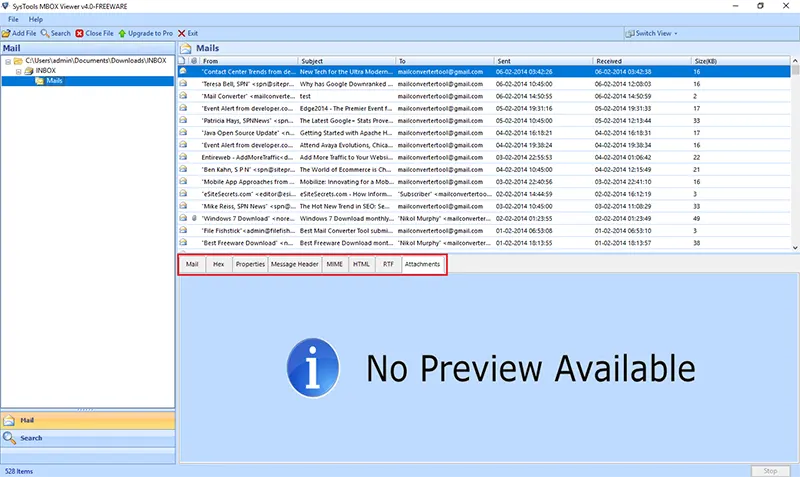
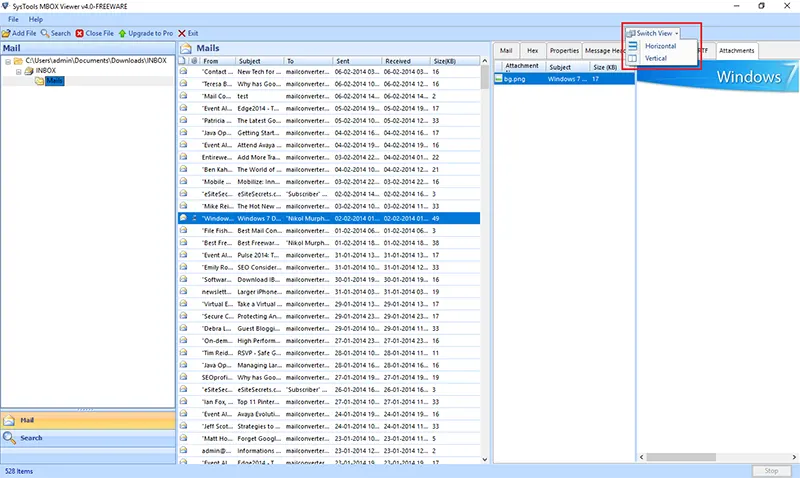
You can view important details of your messages such as To, CC, BCC, Subject and Date-Time along with the attachments without changing your original data.
Saves time with faster scanning that organizes your emails into a folder list. This makes it easy to click through and explore your files within any modern Windows environment whether it is Windows 7 or Windows 11.
MBOX Viewer Tool is a standalone which means you do not need to have Outlook or Thunderbird installed to read your files. It can handle files of any size effectively so you can select your data.
You have many professional viewing options, whether you need a standard view or a more technical look through Hex, HTML or Message Headers, this tool provides you with whatever you want.
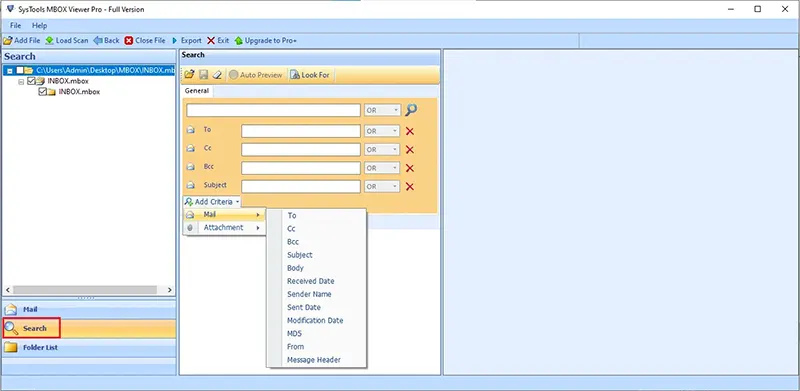
Helps you to find particular messages quickly without scrolling through thousands of entries. Use the smart search filter to track emails by Subject, To, From or specific keywords within the body of the message.
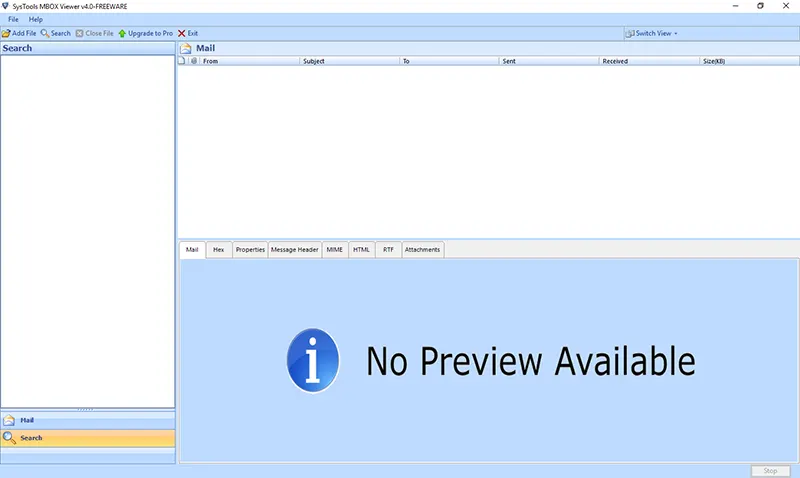
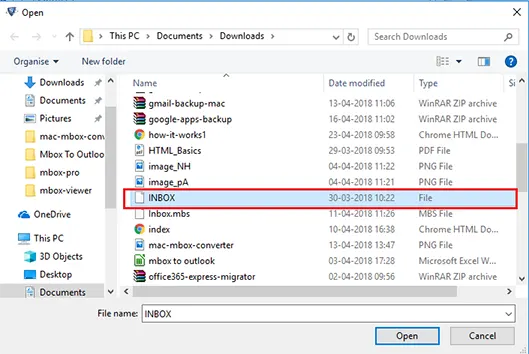
Find every steps of the DataHelp MBOX Viewer Software and click any step to preview its screen.
Finding a specific email among thousands of messages can be challenging but upgrading to MBOX Viewer Software Pro edition provide you best benefits including advanced search option such as:
Keyword Search Operators
Keyword Search
Locate emails containing specific words or phrases.
AND Operator
Return results containing multiple required keywords.
OR Operator
Search for emails matching any specified keyword.
NOT Operator
Exclude unwanted keywords from search results.
Additional Search Options
DataHelp MBOX Viewer Tool - Technical Specifications
100% Safe & Secure Download
What's New in This Version
System Requirements
Prerequisites & Resources
Resources and guide how to use DataHelp Software
MBOX File Viewer - Software Video Guide
DataHelp Software Comparison - Free vs Paid
| Feature and Capability | Free Edition | Pro Edition | Pro+ Edition |
|---|---|---|---|
| Add MBOX Files | |||
| View Emails & Attachments | |||
| Install on Multiple Computers | |||
| Smart Search | Save as PDF | ||
| Export to Other Formats | |||
| Split Large MBOX Files | |||
| Cost | Free | $69 | $129 |
| Buy Links | Download Now | Buy Now | Buy Now |
Why Choose DataHelp Software Solution?
DataHelp MBOX Viewer Tool
Other Online MBOX Viewers
Trusted by Professionals Worldwide
DataHelp Software is Trusted Worldwide for Safe and Accurate Solutions
Customer Reviews
Simple for viewing files
This tool helped me to open my old emails that were saved in the MBOX files when I moved away from Thunderbird. It is an effective and simple MBOX viewer tool for anyone who is changing email applications.
Michael T., Canada
Saved My Gmail Archives
I had a big MBOX file when I downloaded my Google data using Takeout and was worried about how to open it. This tool helped to see all the old photos and documents attached to the emails easily.
Rozer Altman, NZ
Great for Backups
The MBOX reader helped me to browse through old conversations that I had found on an old hard drive from 2015. The Search feature helped find a particular invoice that I needed.
Andrew Collins, AU
Safe and Private Viewing
I had some sensitive client emails that I did not want to upload to the server. Using this tool I was able to read the messages and check the headers while keeping the data private and safe as it works offline on your computer.
Amit Randhawa, India
Handles Large Files
My archive was 10GB large but this MBOX viewer loaded the whole thing easily without slowing down the computer. It organizes the emails into a list which makes it easy to sort your data.
Arnim Wayzuk, France
![]()
![]()
Frequently Asked Questions
Yes - MBOX Viewer Tool is a standalone which means you do not need to install Thunderbird, Apple Mail or any other email application to open and read your MBOX files.
Yes, the software is designed to display all the attachments such as images, PDFs and documents directly while you are browsing your MBOX file messages.
No, there are no hidden size limitations for opening MBOX files. The tool is designed to handle large MBOX files as it ensures that the software remains fast and responsive even when loading large data folders.
Yes, the software supports MBOX files generated from Google Takeout. It can also open and read files generated from Apple Mail, Entourage, Eudora and other popular email platforms.
Yes you can open as the software supports to Open and View your MBOX files created by Apple Mail and other email applications.
Yes, you can easily export from MBOX to PDF using the Pro edition as it completely supports PDF export and email printing options.
Yes, the MBOX Viewer Tool is compatible with the latest Windows 11 operating system as well as Windows 10, 8.1, 8, 7 and various Windows Server editions.