Convert MSG Files to PST With Simple Drag & Drop – No Outlook Expertise Needed
DataHelp MSG to PST Converter allows you add MSG files or folders - drag them into the tool and export a clean PST file without errors or data loss and convert MSG to PST including Emails, Contacts, Calendar, Notes, Journals, and Tasks easily.
Free Live Demo - DataHelp MSG to PST Converter Software Fully Secured Download Version
Awarded By Trusted Platforms
The tool got awarded for accurate output results from SoftwareSuggest. Tool provides accuracy in the output file, you will get the same data in PST file after conversion. The software will retain entire Mata properties & other data of MSG file in PST file.
— SoftwareSuggestDataHelp MSG to PST converter got 5-star rating for easy-to-use & most reliable software from Soft32. With the help of this software user able to export multiple MSG files to PST format without any data loss.
— Soft32What Experts Say About DataHelp
"The best part I liked about that MSG to PST converter software is auto detect feature to automatically detect & load MSG files into software. The interface of the software is also very simple and easy to understand. I did not find any difficulty during perform MSG files to PST conversion. All thanks to the team of developers to developed this useful third party utility."
Expert, Egypt
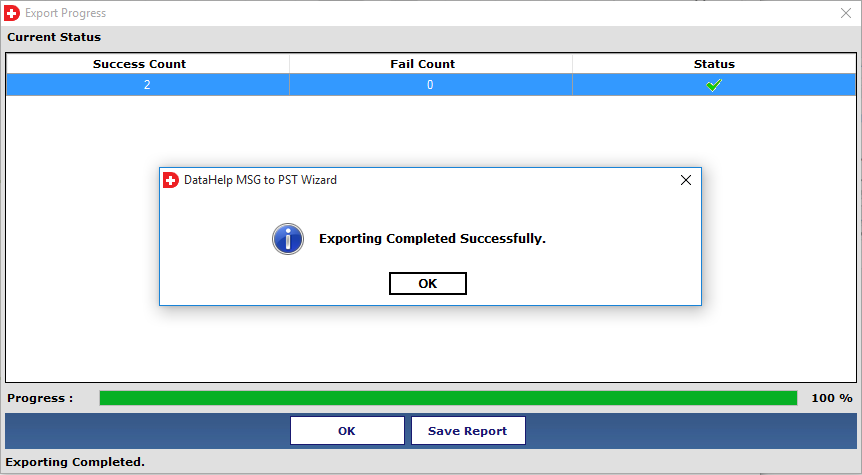
Check how quickly you can convert with the help of this MSG Files to PST converter tool and other formats too with a proper step by step guide with Screenshots - Get to Know All Steps.
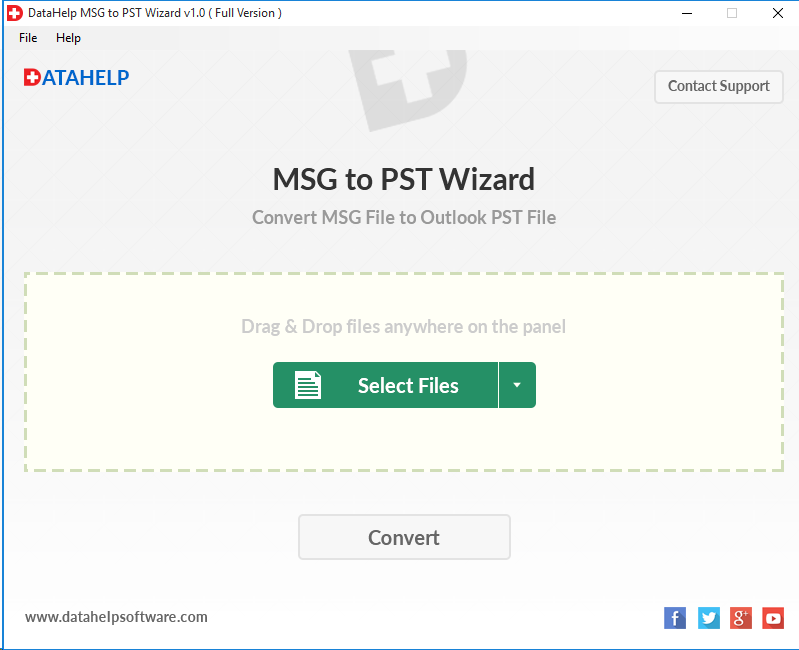
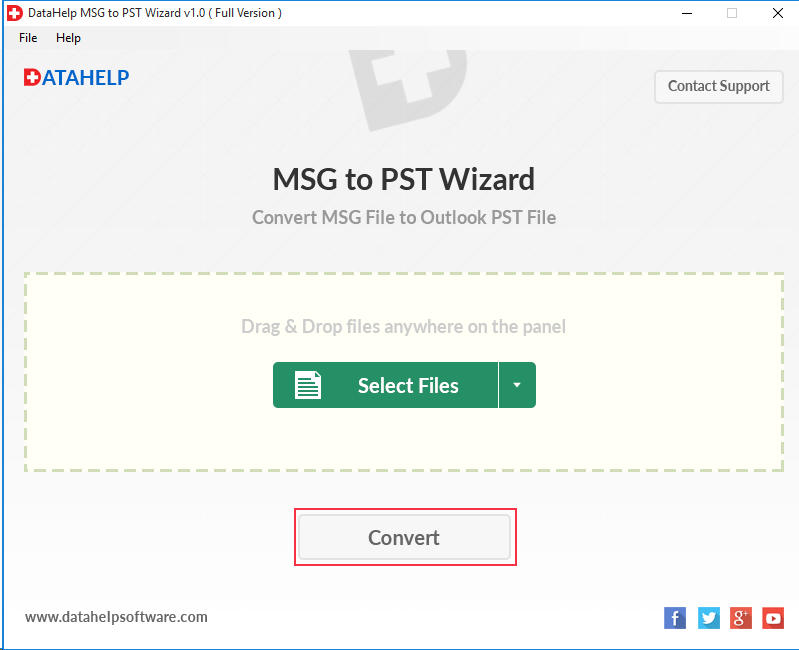
The key features of this software is to Export MSG to PST with a simple drag and drop function and power you to export Outlook MSG Files to PST Format with all data.
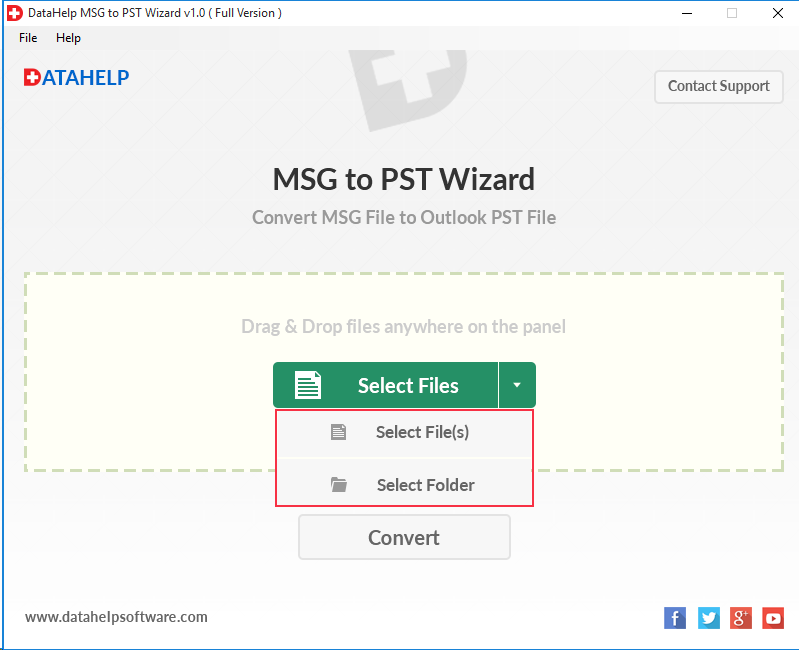
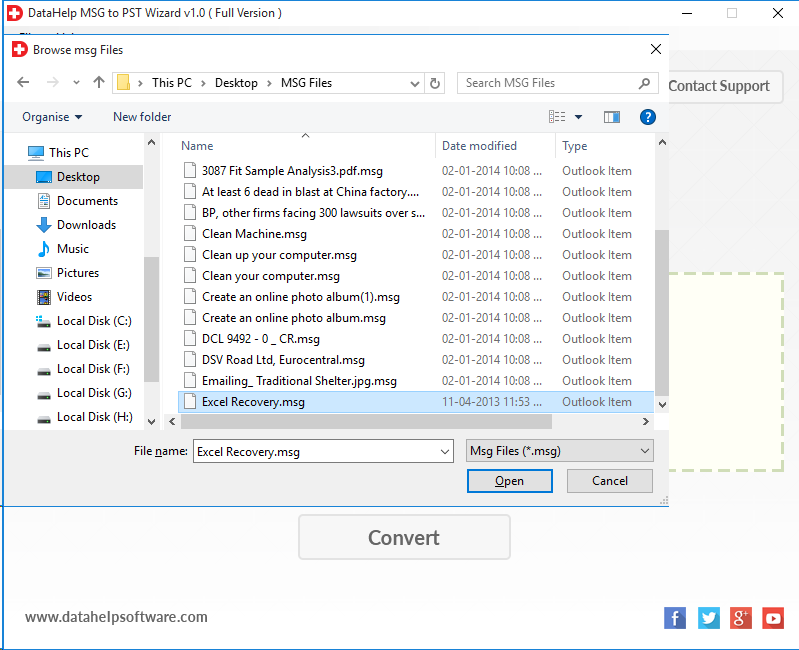
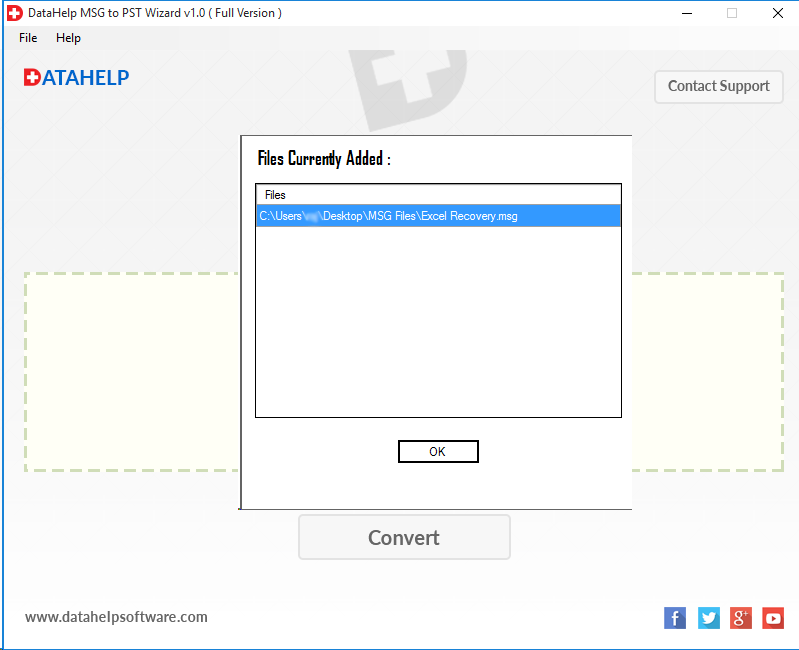
When a user has the folder of MSG files on their machine then MSG to Outlook Converter provides facility to import the whole folder into software. The user has multiple options to import MSG files such as Drag & Drop, Select Files. By using Select Files option the user can import all MSG files into software panel at once.
The MSG to PST converter allows users to export selective Outlook emails with attachments to PST instead of exporting all MSG files. Users need to select that MSG files which they want to convert and then click on convert button to export .msg to .pst. The software is capable to maintain the integrity of data after the migration & allows to Convert MSG Files to Outlook PST format 2019, 2016, 2013, 2010, etc.
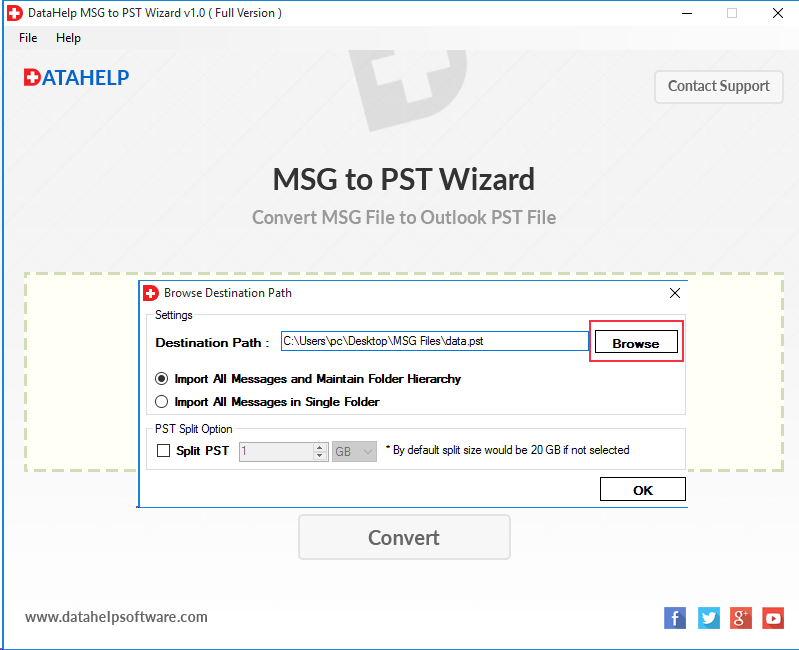
The tool provides options to convert batch of MSG files to PST with their entire attachments at once. By using Merge MSG option user can bulk convert MSG files into PST. MSG converter utility creates a single UNICODE PST file for multiple MSG files without any file size limitation. Moreover, user can break large sized output file into multiple smaller PST files.
DataHelp MSG to PST converter will export your all MSG messages with their attachments & meta-data into PST file. Apart from this, it will maintain folder hierarchy (on-disk folder structure) after conversion. The tool provides "Import All Messages and Maintain Folder Hierarchy" option to preserve folder structure of Outlook messages into PST file format.
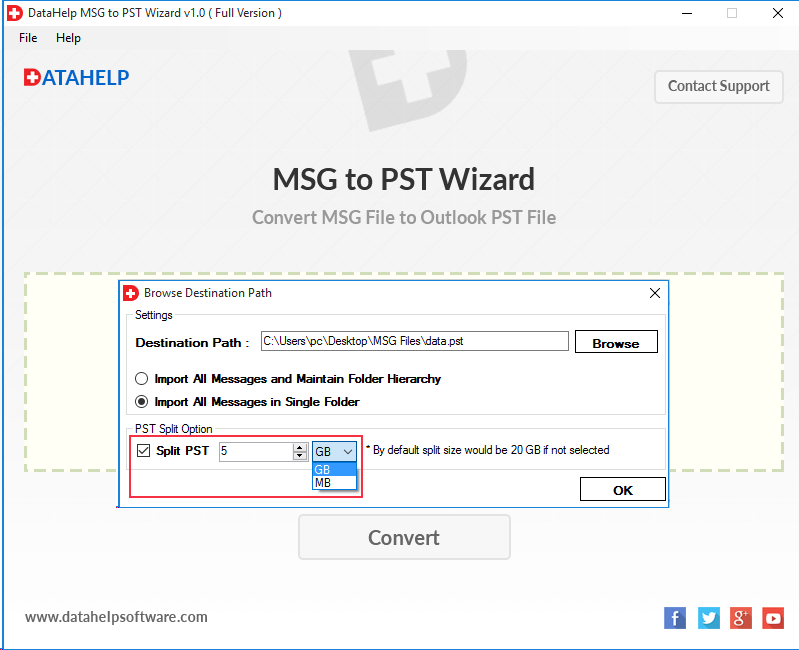
Split output PST option of the software will help you to divide large PST files into multiple parts. If your PST file size exceeds 20 GB then you can use this option to split or break the resulting file. This option will help you manage output file & avoid large PST file size corruption issues.
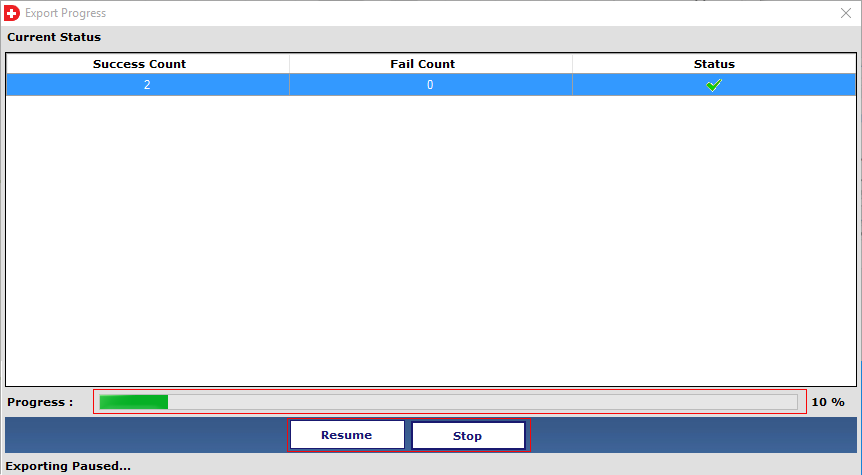
DataHelp MSG to PST Converter allows you to pause or stop the export process at any stage. This feature helps you to control the conversions or manage your system resources and resume work without restarting the entire process again.
DataHelp Outlook MSG to PST converter wizard allows you split your large PST files into smaller parts by size. This helps you to avoid Outlook size limits, improves performance and makes PST files easier to manage and share.
DataHelp MSG to PST Converter securely transfers all your standard MSG file items into PST format without data loss.
The best part of our tool works seamlessly with all major MSG file types and Microsoft environments.
Unlike typical email converters which require numerous steps and technical skills where DataHelp focuses on simplicity as the program is designed for both regular users and professionals that require fast and precise results.
This user friendly approach reduces errors, saves time and ensures a smooth experience from start to finish.
Here is how users are commonly benefit from converting MSG to PST
Merging multiple MSG emails into one PST for Outlook
Restoring archived MSG files to a new Outlook profile
Sharing email records in a universally accessible PST format
Preparing email data for audits or legal reviews
DataHelp ensures complete data safety during the conversion
Your email data stays private and under your control at all times.
Limitations
Buy Full Version of The Tool to Convert MSG to PST Without any Boundations
Watch Tool Working to Know How to Convert MSG to PST Format for Outlook
Unlock all limitations by upgrading to the full version
| Features | Free Version | Full Version |
|---|---|---|
| Add MSG Files to Software Interface | ✔️ | ✔️ |
| Preview MSG Emails with Attachments | ✔️ | ✔️ |
| Advanced View Mode (Properties, MIME, HTML, RTF) | ✔️ | ✔️ |
| Supports All Windows Versions | ✔️ | ✔️ |
| Create PST File Without Size Restriction | ❌ | ✔️ |
| Batch Convert MSG Files to PST | ❌ | ✔️ |
| Export MSG Files to PST | First 10 MSG Files Only | Unlimited |
| Technical Support | ❌ | ✔️ |
| Cost | Free | Upgrade |
MSG To Outlook Converter Tool Related Queries & Their Solution
A. Follow to given steps to perform this task -
To access data of PST file you have to go to the destination location where you have saved PST file. Then import into Outlook email client by using Import / Export wizard.
“If I want to move my MSG files, then is it necessary to install MS Outlook to perform MSG files to PST conversion or I can do this without MS Outlook also.”
A. No, it is not necessary to install and configure MS Outlook to export MSG files with attachments to PST format using MSG to Outlook converter software.
“I have multiple MSG files and I work on Windows 10 OS based machine. Now I want to migrate my all message files to PST format. So, I want to know, will the MSG to Outlook Converter work on Windows 10 OS or not?”
A. Yes, MSG to PST Converter wizard is compatible with Windows 10 and all below versions of Windows Operating system. So, you can easily run this software on Windows 10 to bulk convert .msg to .pst files.
“I have MSG file of 5 GB and I want to convert it into PST format. So, I want to confirm that, is there any file size limitation present or I can export MSG file of any size to Outlook PST format without any restriction.”
A. No, there is no MSG file size limitation to convert MSG to PST file. You can easily merge MSG files to PST without any file size restriction. After combining all MSG files in a single PST you can import all MSG files into Outlook 2016, 2013, 2010, 2007, 2003 editions easily.
“I have many attachments in my MSG emails and I need to save all these attachments to Outlook PST file format. Can the convert MSG email file with attachments into Outlook PST or not?”
A. Yes, MSG to PST converter software exports MSG emails to PST file format with their attachments without losing any bit of information.
“I have 2000+ Outlook emails in .msg extension, I want to import all emails with their attachments into Outlook at a time, so this software is capable to combine all Outlook emails into single PST.”
A. Yes, This MSG to PST wizard allows you to import all .msg files into a single PST format with their attachments, for this software Import All Messages and Maintain Folder Hierarchy, Import All Messages in Single Folder options.
“I have exported MSG file into PST by using this MSG to PST Converter software and now I want to access that resultant PST file in your Microsoft Outlook 2016. So, can I do this with MS Outlook 2016 or not?”
A. Yes, you can access resultant PST file with Microsoft Outlook 2016 and this tool also support Outlook all versions.
Try the Free Version First
DataHelp believes in full user satisfaction so we allow users to download the free trial version of our MSG to PST Converter to evaluate the software before purchasing. This allows you to preview results and verify accuracy. Also we fully committed to the 30 Days Money Back Guarantee.
Download Free Trial