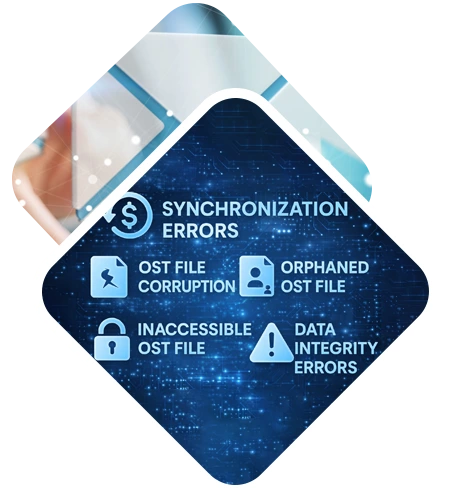
DataHelp Software to repair corrupted and inaccessible Outlook OST files securely. Download the OST Repair Tool to repair large OST file size and Software maintains complete data integrity.
Free Live Demo - Trusted Worldwide - DataHelp OST Repair Tool Fully Secured Download Version
Virus Total Safe
Download with Confidence: Certified Clean by 70+ Antivirus Engines
What Data Can Be Recovered from OST File
Emails
Recover Outlook emails with attachments, formatting and metadata.
Contacts
Quickly restore Outlook contacts including names, emails and phone numbers.
Calendars
Easily recover calendar events, meeting schedules and reminders with this software.
Tasks and Notes
You can safely restore Outlook tasks, notes and other important mailbox items.
Advanced Capabilities
DataHelp Software offers a powerful OST Repair Software that is fully capable to repair your corrupted Outlook OST files.
Software Capabilities
Fix Major Outlook OST Errors and Corruption Issues Instantly
Key Features of DataHelp OST Repair Software
OST repair software to recover deleted emails, contacts, calendars, tasks and other items from an OST file. It also has the ability to recover all permanently deleted emails and other items from an OST file. Data can also be recovered from.nst and.bak files (BAK file created by Scanpst.exe when repairing OST file). Software allows you to save recovered data from an OST file into different file formats PST, MSG, EML, or PDF file after restoring data. The best tool for repairing corrupt OST files.
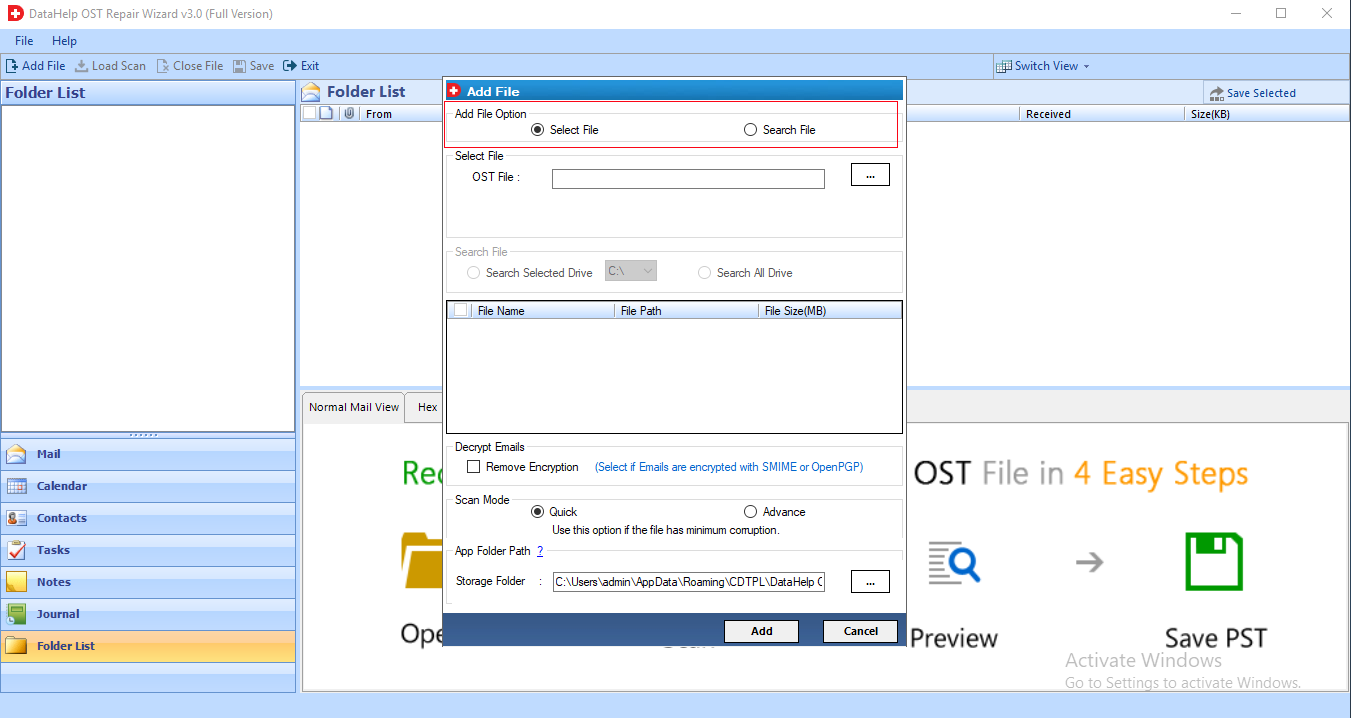
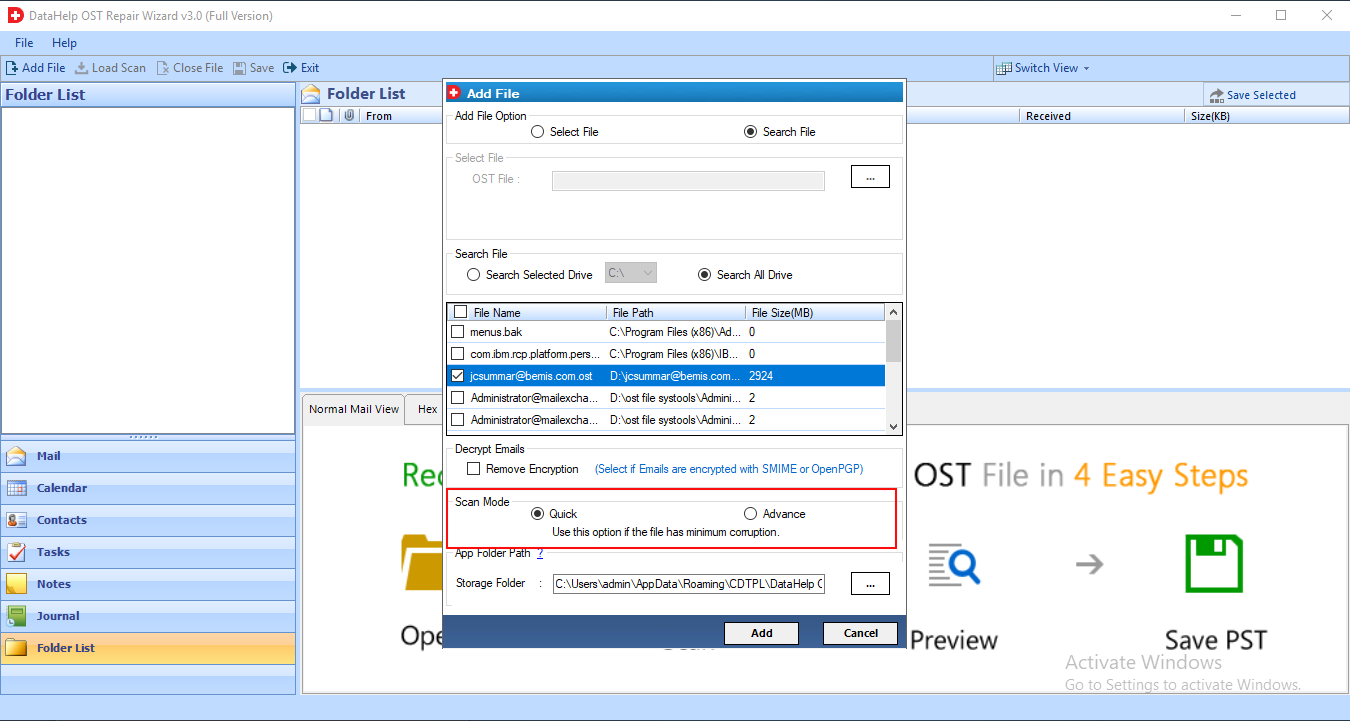
The DataHelp OST Repair Tool has two modes for repairing OST corruption: Quick Scan and Advanced Scan. The Quick Scan option will repair less corrupted OST files, while the Advance Scan option will repair severely corrupted OST files. By default the software runs a Quick scan.
This OST recovery software provides two options for browsing OST files in order to perform the recovery process. With the select file option, choose File and Search File. You can choose which OST file to recover and restore their deleted data. The Search file option allows you to look for .ost files on a specific or all drives for OST recovery.
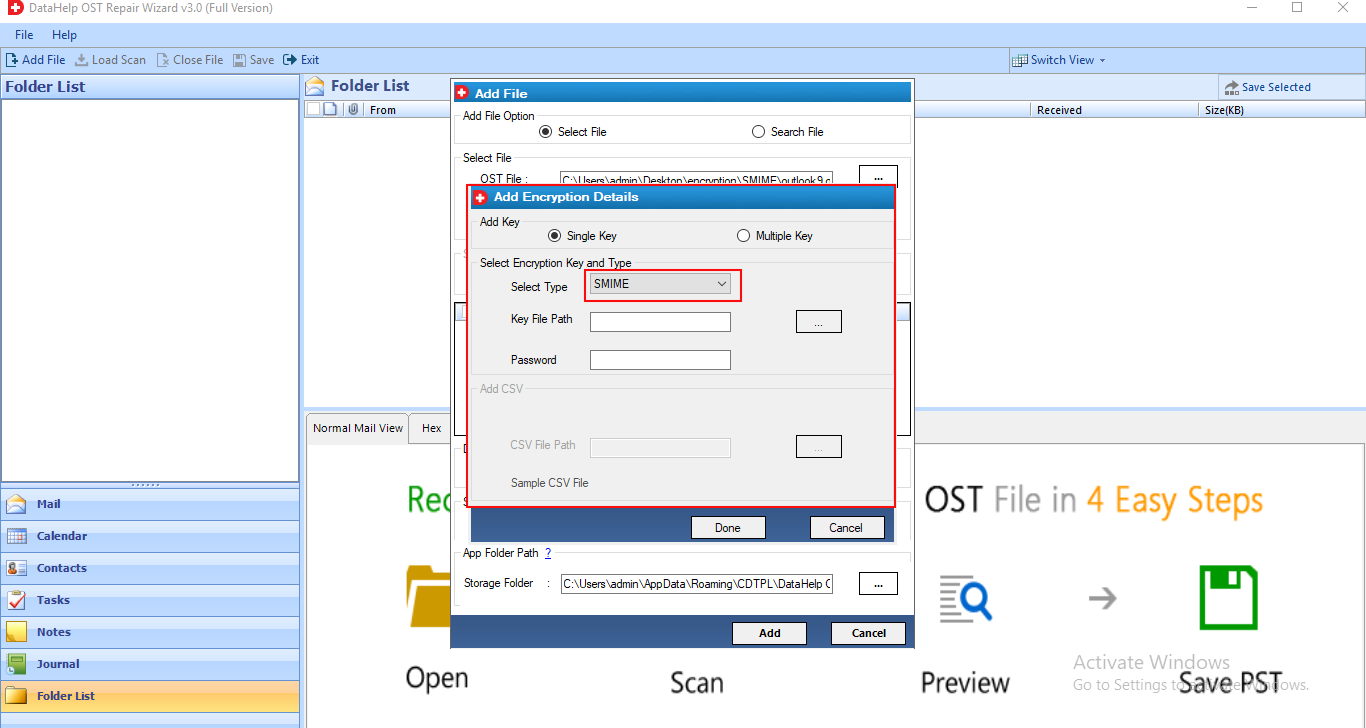
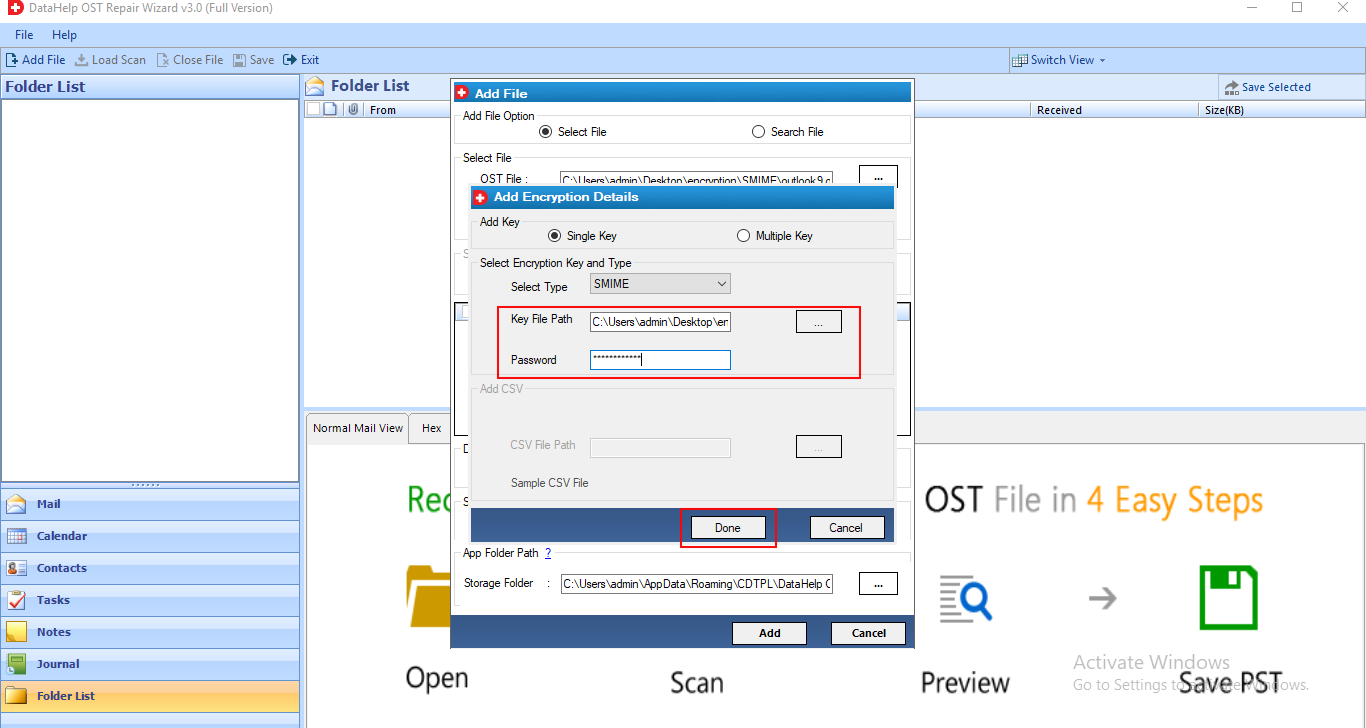
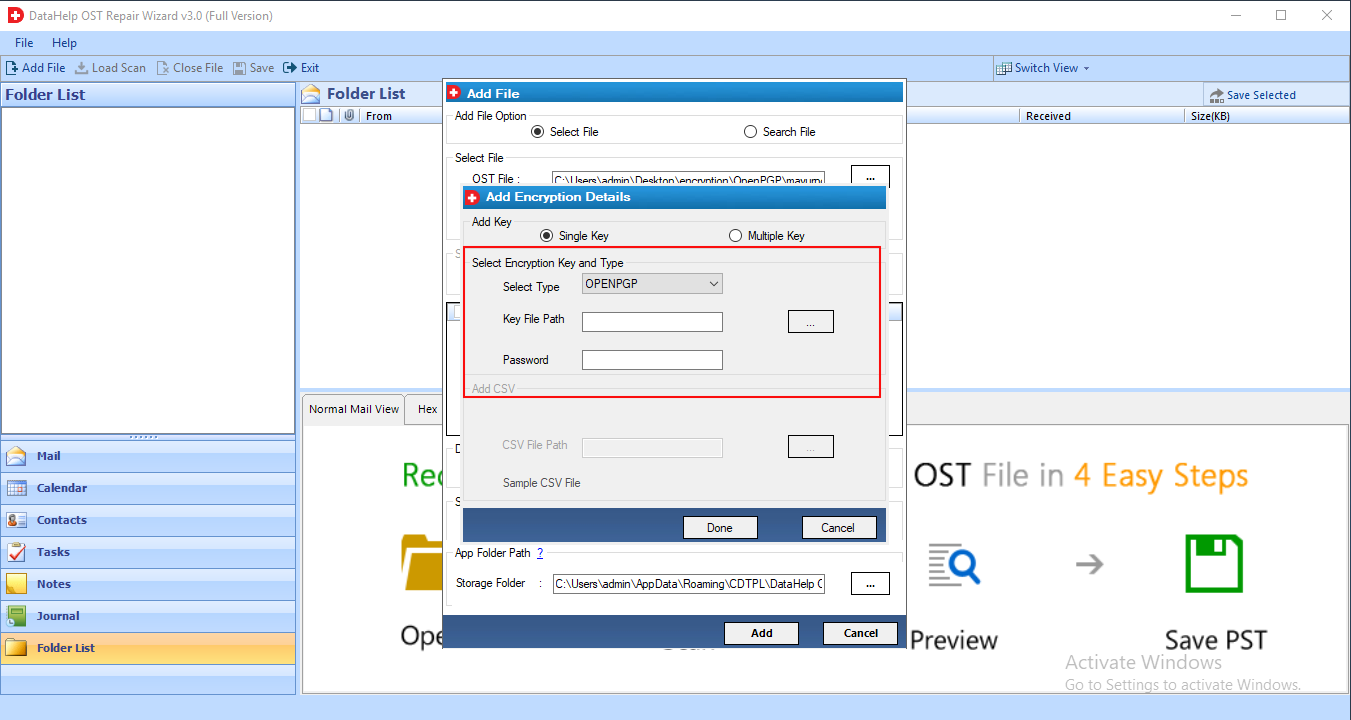
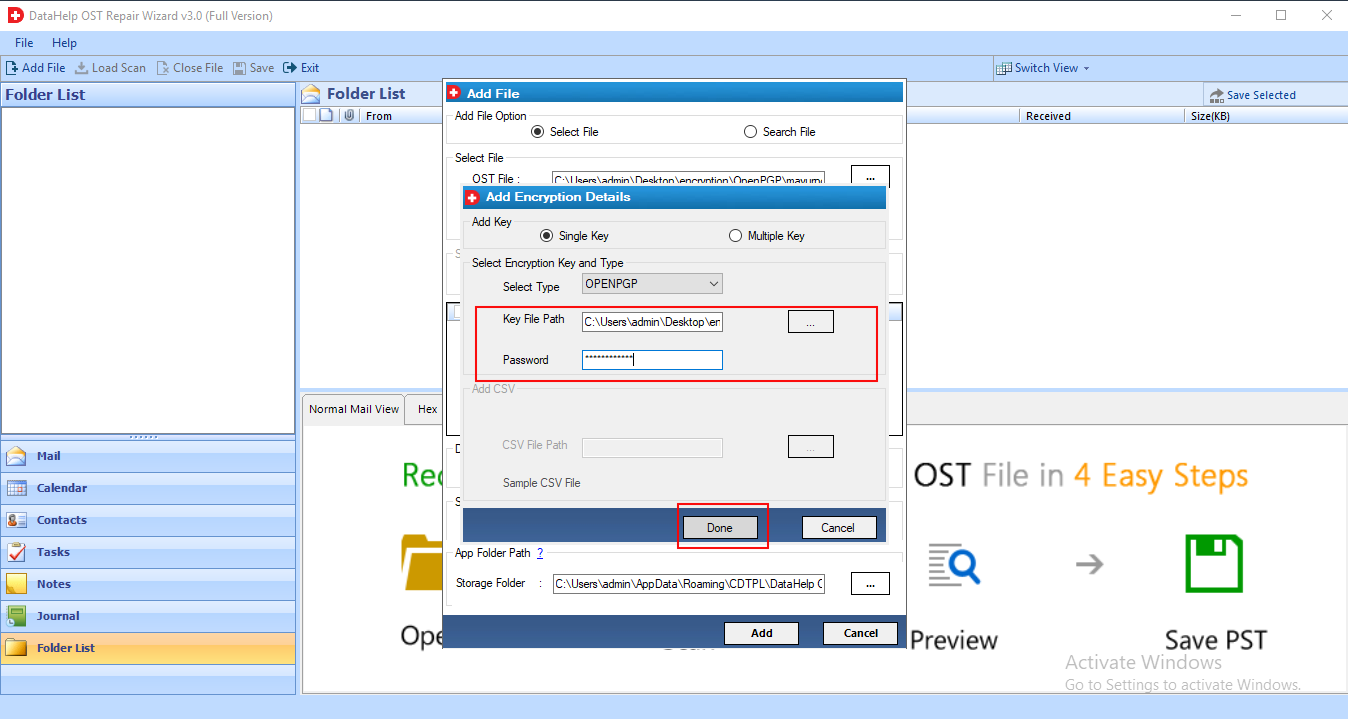
DataHelp Outlook OST Repair Software is capable of decrypting OST emails and removing S/MIME or OpenPGP-encrypted OST email encryption. To decrypt SMIME or OpenPGP encrypted messages in an OST file, users must select the 'Remove Encryption' checkbox. As a result, in order to decrypt OPENPGP encrypted mails, users must provide associated Certificates with passwords or Private Keys with passwords. To repair a corrupt OST, use OST recovery software full version.
Search File option provided by our OST Repair tool to find OST files from drives. It offers two options the 1st is Search in Selected Drive and another is Search in All Drive. Both options will help you to locate or find an OST file which you want to repair. You can check this feature in the software free demo version.
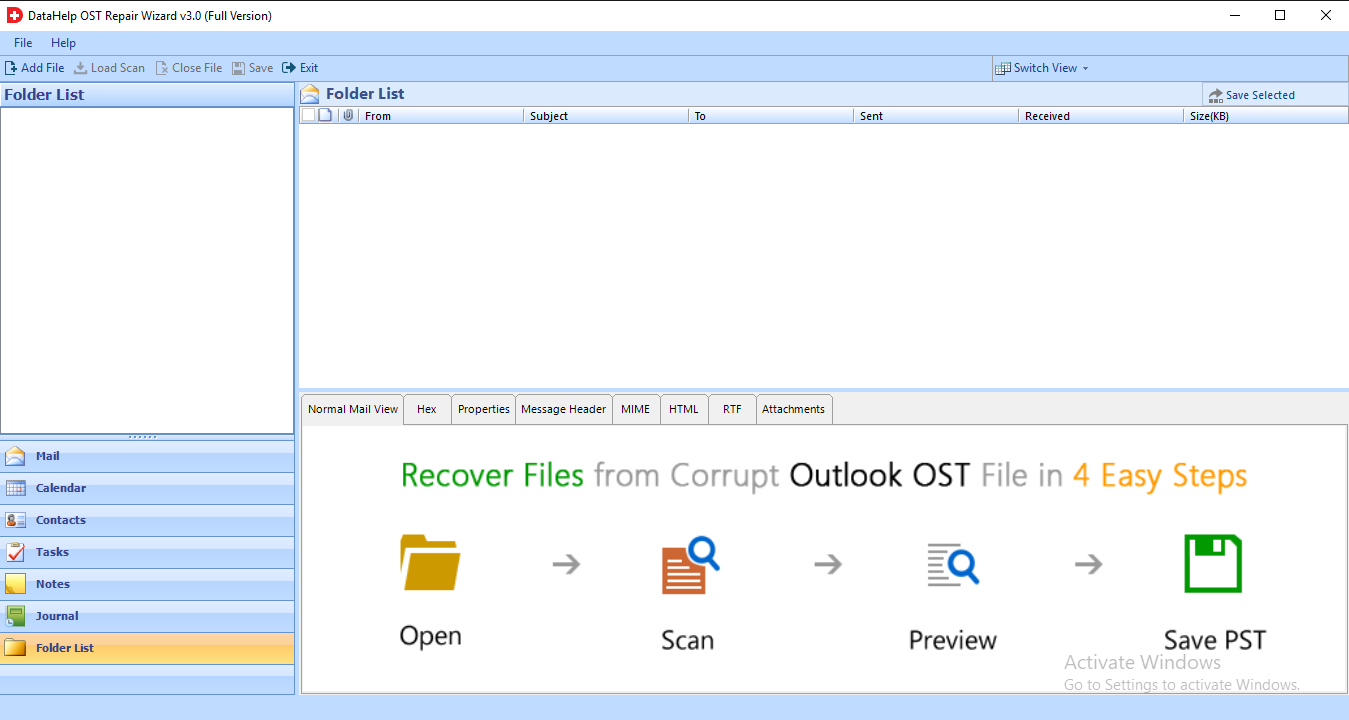
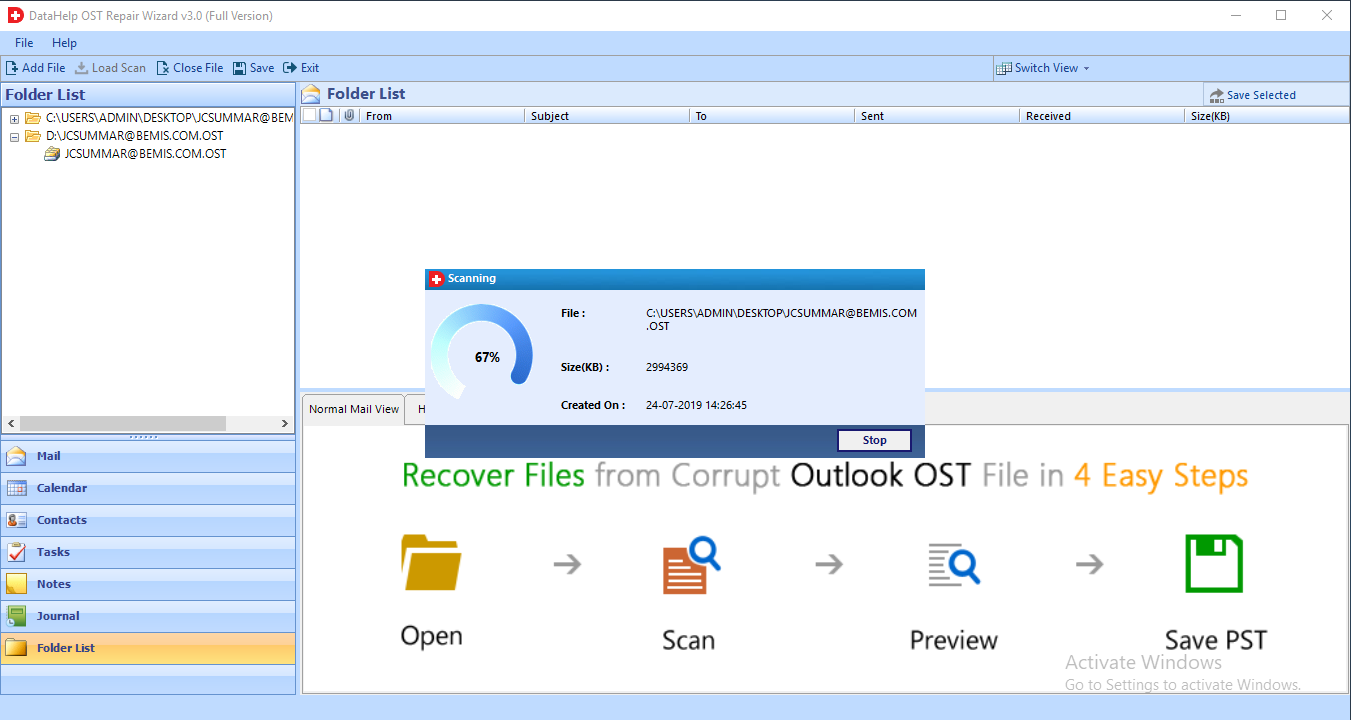
OST file recovery software displays an instant preview of all OST items, such as emails, calendars, contacts, tasks, notes, and other items, after recovering the entire OST data. Following the scan, the tool will display only those Folder names in Bold that contain data for quick access. While repairing a corrupted OST file, the tool displays emails in normal view with associated attachments. Download the free demo version to test all of the features of this OST recovery software.
There are multiple preview modes provided by the OST repair wizard like Normal Mail View, Properties, Message Header, Hex, MIME, RTF, HTML, and Attachments. With this option, you can preview OST data with their attributes in multiple modes. This feature is definitely effective for deep analysis of OST data. Apart from this, it will maintain OST emails meta properties such as To, Bcc, Cc, sent date etc.
Extract and save specific items from a recovered OST file. Date filtering is an option in the OST recovery software. With this feature, you can save recovered items from a specific date range into PST, MSG, EML, or PDF format. Simply enter a date range in the "To" and "From" fields, and the software will extract only the data you specify.
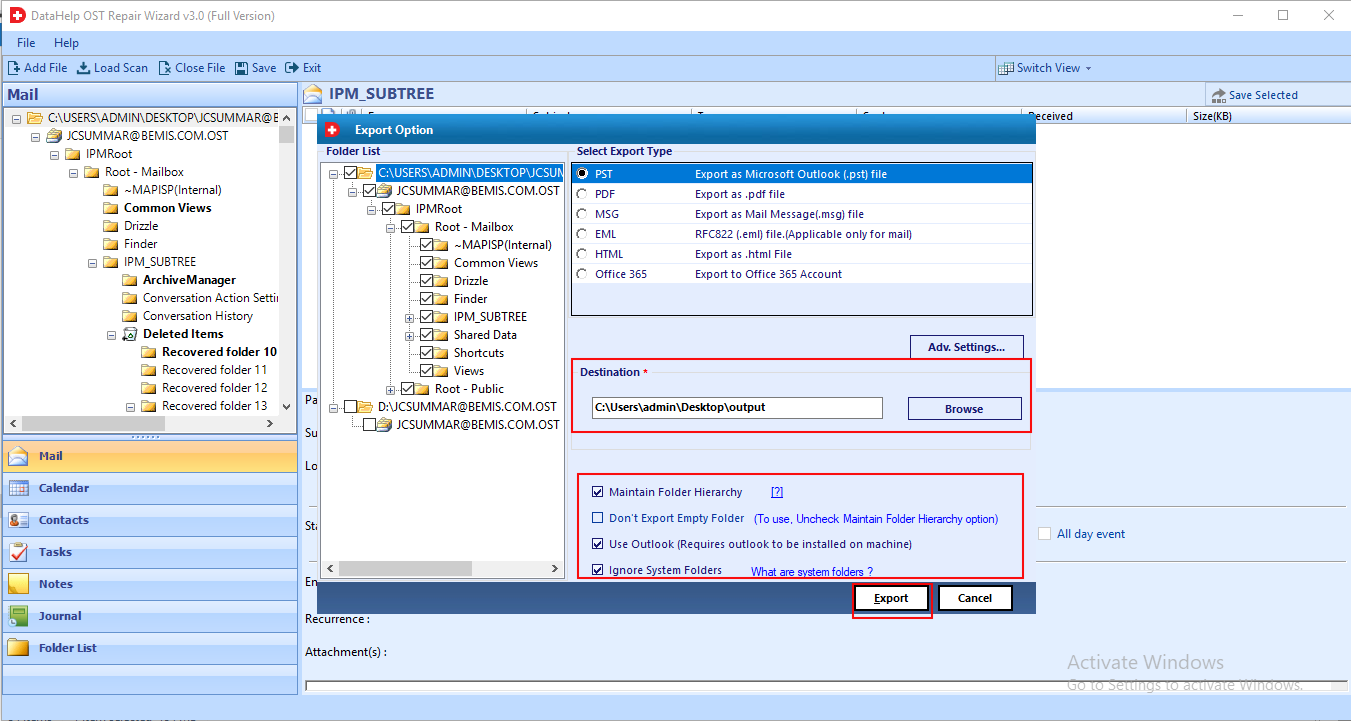
The OST file repair tool gives you an option in which you can discard or exclude empty folders. To utilize this option you have to uncheck the 'Maintain Folder Hierarchy' option. This can recover only folders that contain data and skip empty folders. Use the OST recovery free demo version and verify this option.
The internal folder structure of the Offline OST file is preserved by the software. This application has no effect on the folder hierarchy or the internal structure of files. You will receive the entire OST file with the correct internal structure. The software can also repair corrupt OST files and save them in a healthy format.
If you have a large OST file and need to save its data into multiple PST files. Then you must select this option. It will repair a large OST file and split it into several files. This option will protect you from corruption issues caused by large file sizes. To use this feature, you must first activate the full version of this software.
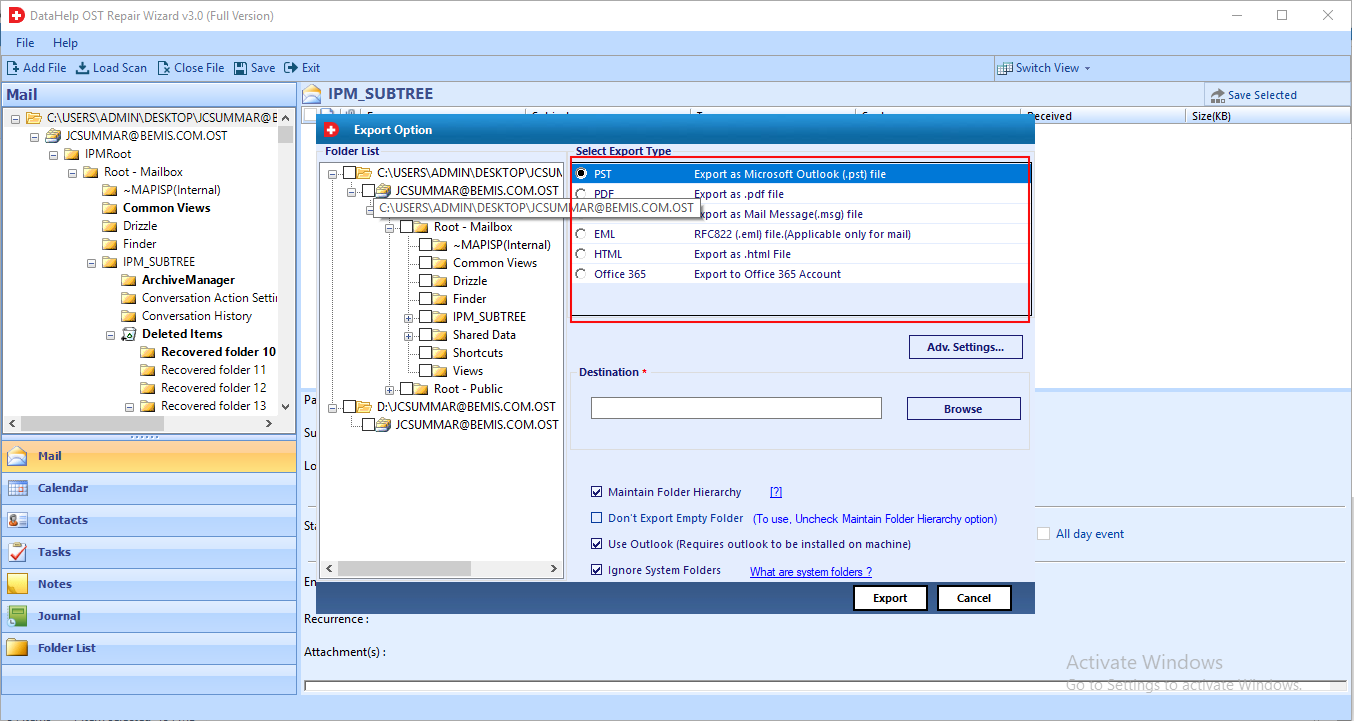
The software allows you to save OST file data in a variety of formats. After performing OST recovery, you can save OST data in a variety of formats such as PST, MSG, EML, PDF, and so on. You just need to select the file format to save data. If you don't have enough time to save the entire contents of an OST file, you can save OST emails in separate file extensions such as MSG or EML.
Outlook installation is not required by this tool to perform recovery of deleted OST data and repair corrupted OST files. You can recover an OST file as well as repair damaged OST files and save into multiple file formats without the need of Outlook. But to access recovered data you need Outlook email application. Download the OST repair wizard free version and check this feature.
By using this tool users can easily retrieve or save OST files data in EML or MSG format according to the desired naming option. Multiple file naming conventions are provided by the software to save the emails with a specific name.
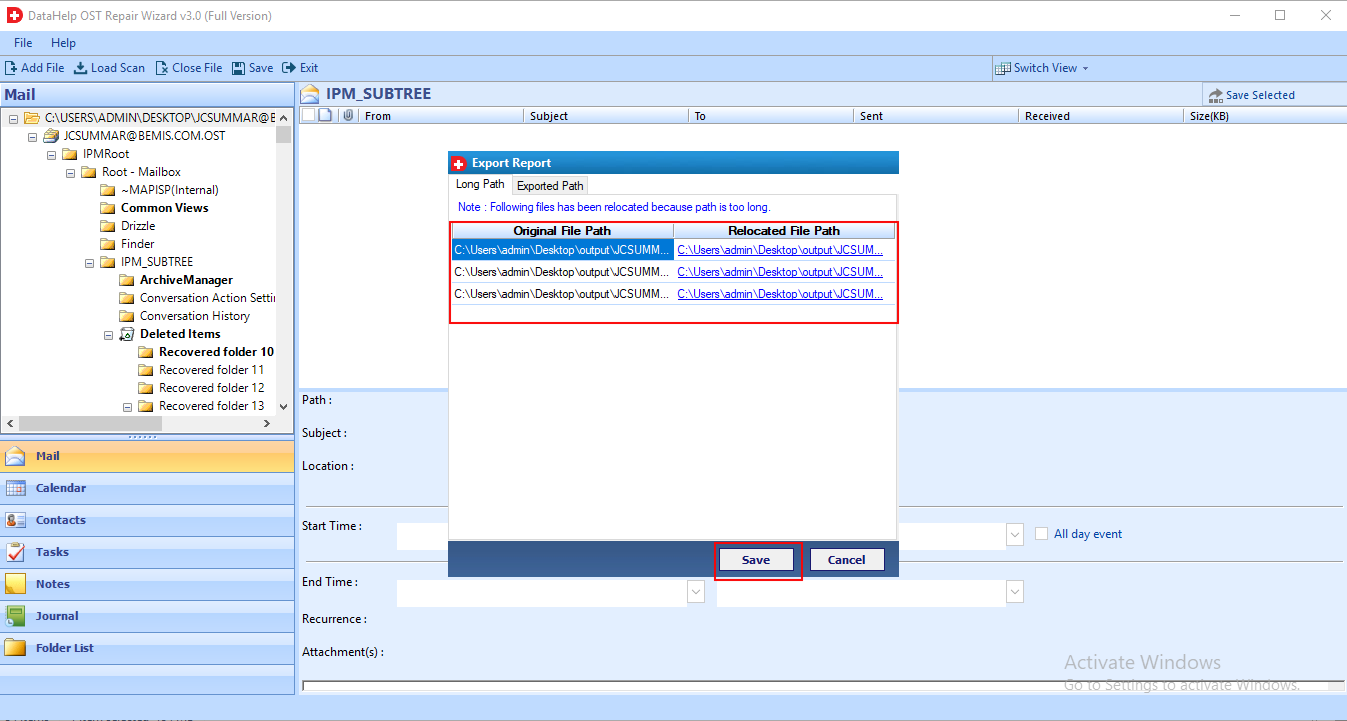
After performing OST file recovery, the software generates an export report in which the tool will save all recovery related information like it will contain the path of saved files. DataHelp OST Repair Tool provides a CSV format to save report.
Why Choose DataHelp OST Repair Software
DataHelp OST Repair Software
Manual Methods and Free Tools
OST Recovery Wizard - Technical Specifications
100% Safe & Secure Download
Resources and guide how to use DataHelp OST Repair Software
How to Repair OST File Step by Step Guide
Buy OST Repair Software Full Version
Buy DataHelp OST Repair Software
| Feature and Capability | Free Edition | Full Edition |
|---|---|---|
| Scan Corrupted OST File | ||
| Preview Emails | ||
| Repair Corrupt OST Files | ||
| Save Repaired Data | Limited | Unlimited |
| Cost | Free | $49 |
| Buy Links | Download Now | Buy Now |
How DataHelp OST Repair Software Works?
01
Add OST File
Simply select the corrupted or damaged Outlook OST file from your system.
02
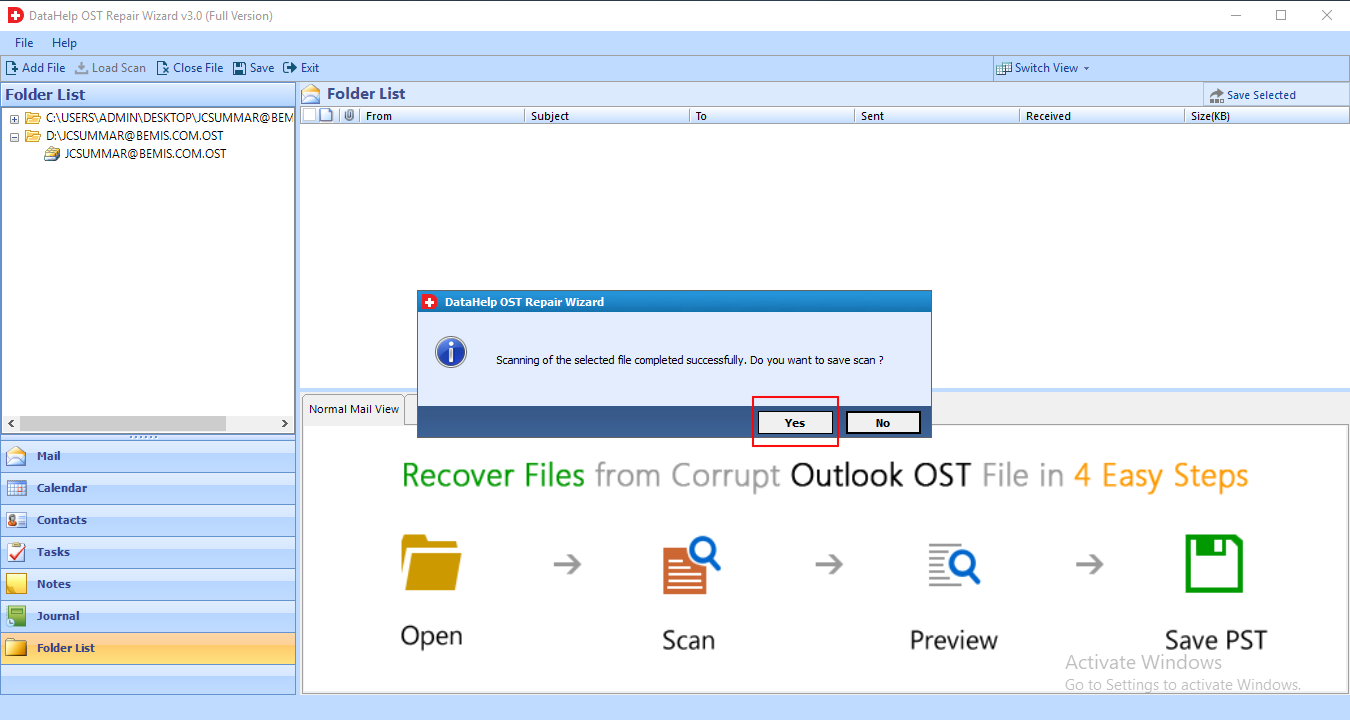
Scan OST File
DataHelp Software quickly scans and analyzes the corrupted OST file for recovery.
03
Preview Data
Software allows you to preview your recovered mailbox data before exporting.
04
Export Repaired Data
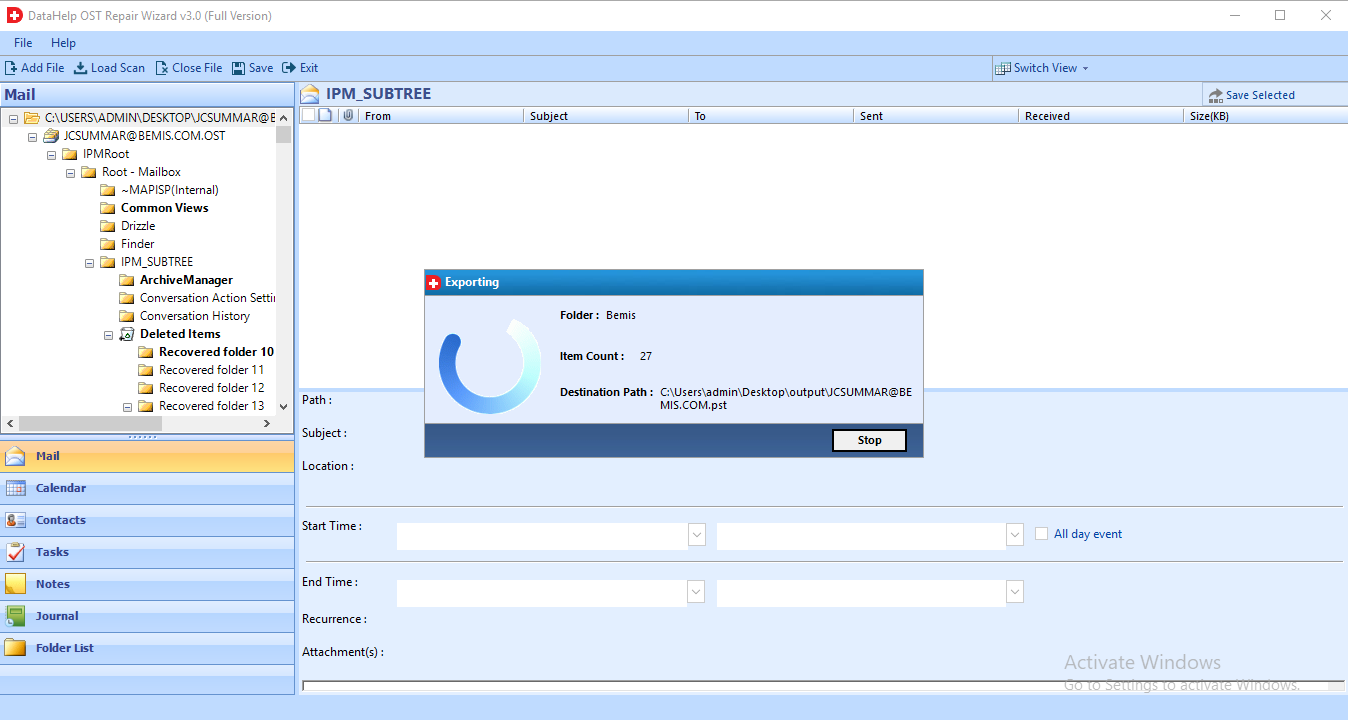
You can save your repaired OST data to PST format and other supported formats easily.
Trusted by Professionals Worldwide
DataHelp Software is Trusted Worldwide for Secure and Accurate OST Repair
Customer Reviews
Reliable OST Recovery Wizard
The software is quite reliable and comes with simple interface and easy to use as I am a non-technical guy I have used this awesome tool for OST file recovery and the software works smoothly and converts everything accurately. Thanks DataHelp team for the awesome support and service.
Jony C., Australia
Excellent Tool to Recover OST File
I had a very major issue with a corrupt OST file and I was not able to access my data one of my friend recommend me to use DataHelp Software to recover my all data from OST file and tool did exactly same as I expected. I have easily recovered my mailbox data the tool was very simple to use and the preview feature is amazing.
Perut Marla, France
Fast and Helpful Support
DataHelp Software team guided me in every steps to understand the software function and I am very happy to tell you that there was a smooth experience using this tool for file recovery issue. The tool worked perfectly in all the ways.
Andrew Collins, USA
Reliable OST Repair Wizard
I have used several online tools to repair my damaged .ost file but using DataHelp software for email and file recovery is easy and secured as the tool work completely offline and not any risk of data leak. Thaks for such an amazing software.
Tarun Goel, India
Simple Drag and Drop Function
I must appricate DataHelp Software for providing such a clean and simple interface so that if you are a non technical users you don't need to worry at all, as you can easily manage everything easily software quickly scan yor file and recover damaged OST files safely.
David Kalton, Australia
![]()
![]()
Frequently Asked Questions
4 Steps to Repair Corrupt OST File:
Yes, You can add multiple OST files at once in order to repair corrupt OST file. To recover multiple corrupt Outlook OST files you have to add multiple OST file into software by using Select File option. This OST file recovery software will easily recover corrupted & deleted emails, contacts, etc., items from Outlook 2019, 2016, 2013, 2010, 2007, 2003 OST file.
No, there is no need to install Outlook email application to repair corrupt OST file. The OST recovery tool will perform Offline OST file recovery without need of Exchange server / Outlook.
No, this tool does not make any changes to data or metadata to repair corrupt OST file. Entire content of OST file will be kept safe throughout the recovery process by this software.
Yes, offers two scanning modes like Quick Scan and Advance Scan. With Advance Scan option, users can easily repair highly corrupted Outlook OST file without any data loss. Moreover, by using this tool you can also recover .ost deleted emails, contacts, calendars, etc.. data
Yes, the OST Repair software offers all associated certificates to decrypt OST messages from S/MIME or OPENPGP encryption.