DataHelp DXL to PST Converter is an advanced utility designed to convert IBM Lotus Domino DXL files into Outlook PST, MBOX, Windows Live Mail (.eml) format accurately. Preserves original mailbox structure and allows exporting DXL emails to multiple file formats.
Free Live Demo - DataHelp DXL to PST Converter Wizard Fully Secured Download Version
Virus Total Safe
Download with Confidence: Certified Clean by 70+ Antivirus Engines
Lotus Domino DXL to Outlook PST Conversion
Domino Email Migration
You can quickly migrate Lotus Domino DXL email files into Outlook PST format without any complex configuration. Convert with simple drag and drop operation.
Accurate PST Creation
Creates precise Outlook PST files while maintaining original email properties, attachments and mailbox folder hierarchy structure.
Supports Large DXL
Software is capable of processing large DXL mailbox files without slowing down your system performance during email conversion operations.
Windows Compatibility
You can run seamlessly across major Windows versions ensuring reliable performance and smooth DXL to PST conversion experience.
Key Futures
Key Highlights of DataHelp DXL to PST Converter
Simple Process
No Outlook Dependency
Features of DataHelp DXL to PST Converter Tool
Easily convert DXL to PST format created from Lotus Domino or IBM Notes. The tool generates UNICODE PST files which can be opened in all versions of Microsoft Outlook without any compatibility issues.
The preview feature allows users to view email details such as sender, subject, date and message size before performing the DXL to PST conversion and attachments like documents, images and other files can also be checked.
DataHelp DXL to PST Converter Software allows exporting only selected DXL emails or complete folders. You can easily check or uncheck specific messages and save the converted PST file at your desired location.
As the software creates UNICODE PST files the software eliminates the traditional PST size limitation so users can convert their large DXL mailboxes without worrying about file size restrictions.
The DXL to PST Converter Tool automatically detects and loads DXL files using a Windows Explorer style interface which makes the conversion process faster and easier for you.
During the DXL to PST conversion the software preserves original mailbox folder structure so that your emails remain organized exactly as in the source Domino environment.
Why Choose DataHelp DXL to PST Converter?
DataHelp DXL to PST Converter
Other Tools and Online Converters
DXL to PST Converter Technical Specifications
100% Safe & Secure Download
Resources and guide how to use DataHelp DXL to PST Converter Tool
Convert DXL to PST Using DataHelp Video Guide
DataHelp DXL to PST Converter - Free vs Full Version
| Feature Capability | Free Edition | Full Edition |
|---|---|---|
| Import single or multiple DXL files | ||
| Extract Emails from Domino DXL with Attachments | ||
| Fast and Simplified Conversion | ||
| Batch Export Lotus Domino XML Files to PST | Limited | Unlimited |
| Search and Email Preview Mode | ||
| Compatible with Windows 11, 10 and Older Versions | ||
| Export DXL Data into Outlook PST | Converts 10 Emails | Full Mailbox Export |
| Data Integrity and Folder Hierarchy | ||
| Cost | Free | $499 |
| Buy Links | Download Now | Buy Now |
How DataHelp DXL to PST Converter Tool Works?
01
Add DXL Files
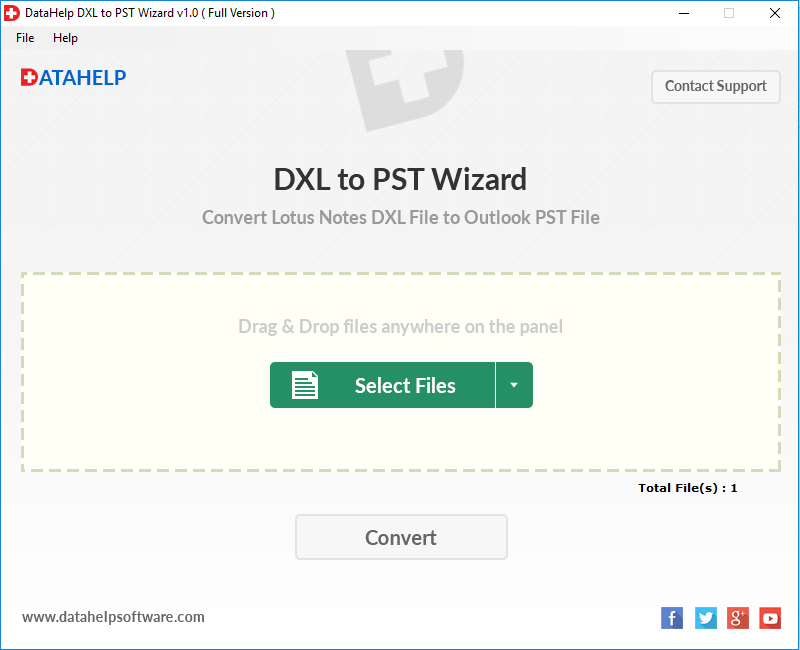
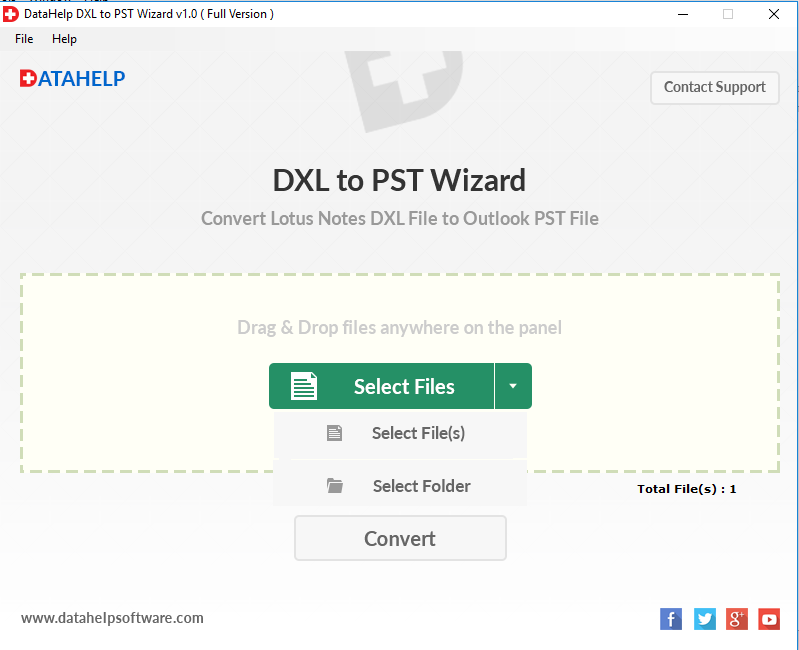
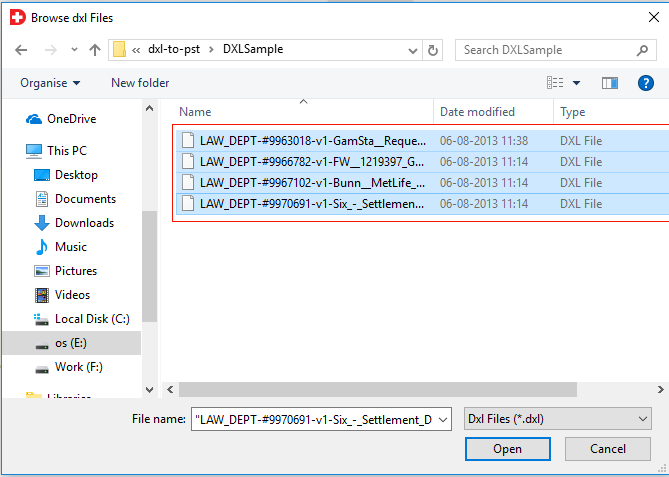
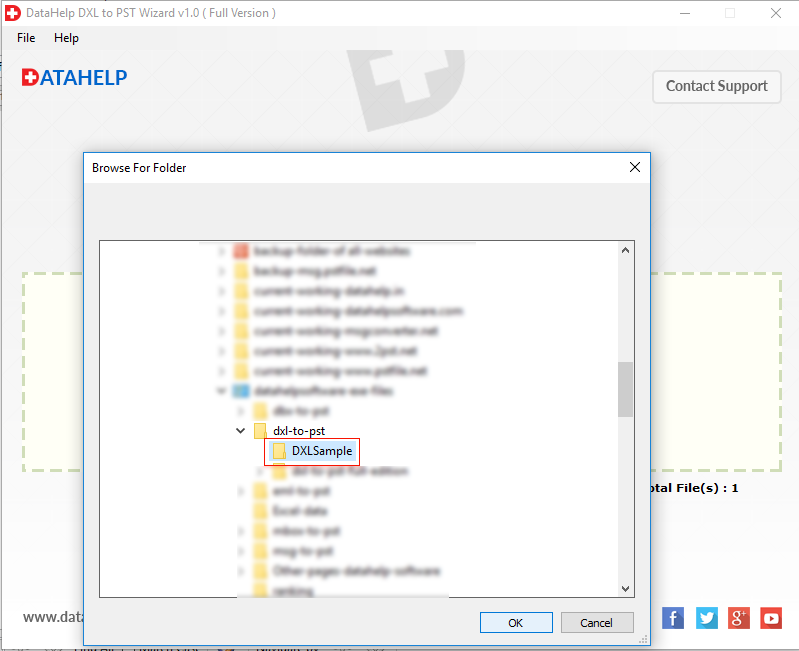
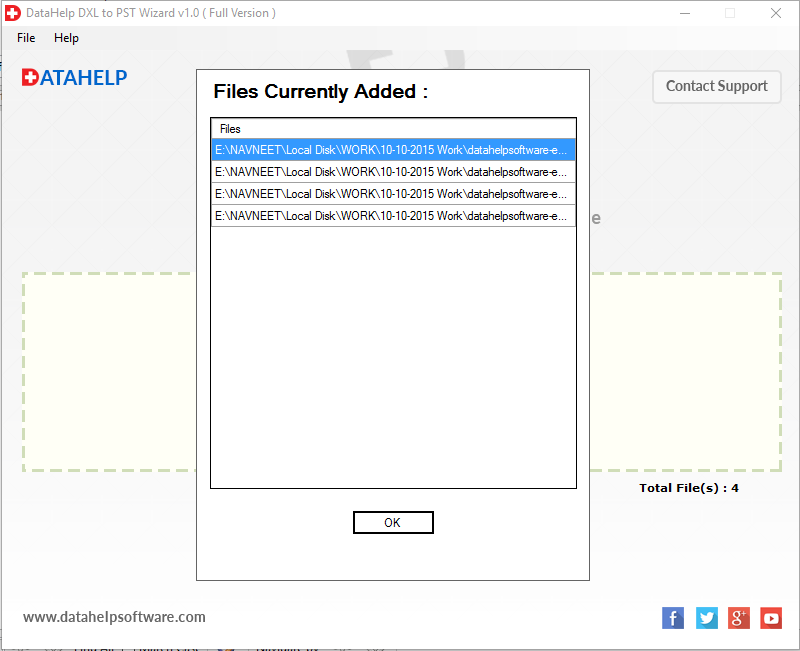
Just upload Lotus Domino DXL files into the software interface using the select file or folder option.
02
Preview Email Data
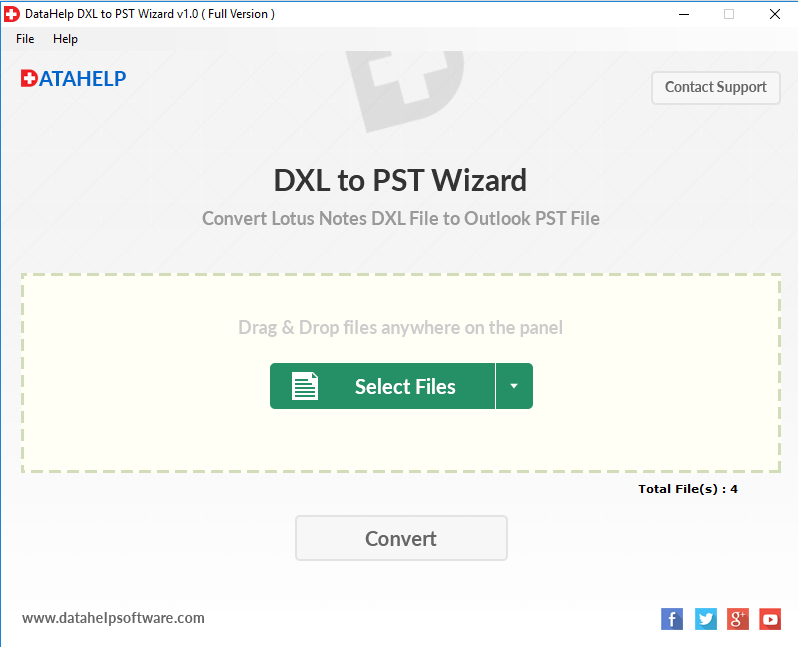
Software will scan and display all mailbox items with attachments for quick preview before conversion.
03
Choose PST Format
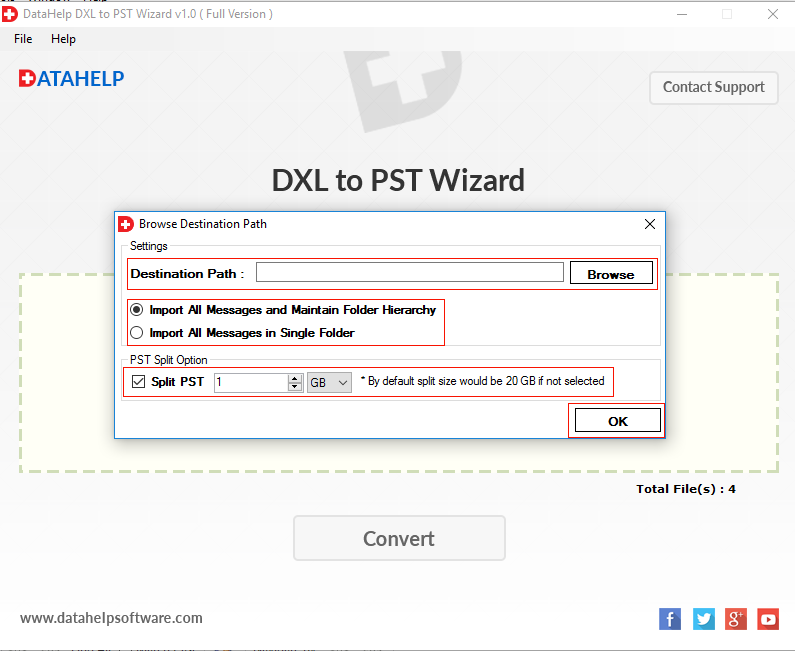
You can select PST as the output format and choose the desired destination location for saving the file.
04
Start Conversion
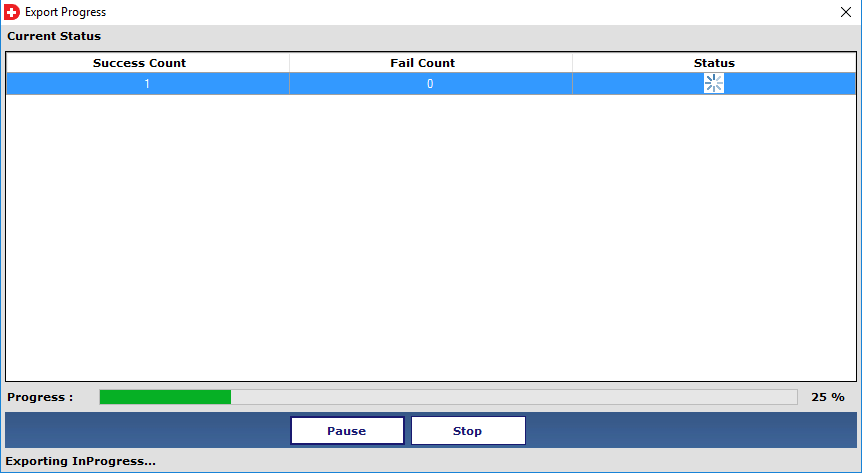
Click on the Convert button to quickly export DXL emails to PST with maintaining folder hierarchy and data integrity.
DataHelp Software Helping Users Globally
Customer Reviews
Reliable Email Migration Software
I have been using DataHelp Software tools for email migration and recovery for quite some time and yes the software works smoothly and converts my mailbox data accurately without losing attachments or folder structure. Furthermore their support team responded quickly and guided me through the process. This saved my lot of time during my email migration projects. Overall I am very much happy with the reliability of their tools.
Michael Carter
Excellent Data Recovery
I had a serious problem with a corrupt Outlook PST file and couldn't access my emails and after trying different solutions I finally used DataHelp Software which recovered my mailbox data easily. The tool was easy to use and the preview feature helped me verify my emails before saving them. Their support team was also very helpful and responded quickly.
Daniel Roberts
Fast and Helpful Support
DataHelp Software provided a smooth experience while I was handling my Outlook data recovery issue. The tool worked perfectly and their support team also very helpful in all the ways.
Andrew Collins
Trusted Email Migration Tools
I have used several DataHelp tools for email conversion and migration tasks and based on my experience using this tool I can say the software is reliable, easy to use and performs conversions accurately without losing mailbox data.
Krisha Viswanath
Reliable Data Recovery Solution
DataHelp Software helped me to recover important my Outlook emails from a damaged PST file. My experience using the tools is awesome as the tool was simple, fast and restored my mailbox data accurately.
Thomas Miller
![]()
![]()
Frequently Asked Questions
Yes it is available - you can try our DXL to PST Converter demo version allowing you to evaluate the software before purchasing the full licensed version.
Yes as the DXL files are generated from IBM Domino/Lotus Notes environments so the presence of Lotus Notes is required to perform accurate conversion.
Yes our tool supports batch conversion that allows you to convert multiple DXL files at once. This is useful for enterprise Domino to Outlook migration projects for large DXL datasets.
Yes you can as the software offers you a preview option that allows you to view your emails and attachments before performing the conversion helping you verify data accuracy.