OLM to PST Converter Software

Convert OLM files to PST format effectively DataHelp Allows you to export all your emails, contacts, calendars, tasks, notes and journals from Mac OLM files directly to Windows Outlook. Download OLM to PST Converter Wizard today and install it on Windows 11, 10, 8 or 7.

  • Convert OLM to PST Format With All Attributes
  • Maintains Data Integrity and Folder Structure Intact
  • Capable of Exporting Large-Sized OLM File to PST Format
  • Option to Create a Single PST from Multiple OLM Files
  • Compatible With All Mac Outlook Versions' OLM Files
  • Advanced Filters to Export Only the Specific Folders or Date Ranges

Free Live Demo - Trusted by Professionals Worldwide, DataHelp OLM to PST Converter Fully Secured Download Version

OLM to PST Converter Software

Award

Virus Total Safe

Download with Confidence: Certified Clean by 70+ Antivirus Engines

Convert from OLM to PST File With DataHelp Software

The Best and Reliable Tool to Convert OLM to PST File Formats

Emails

Emails

Convert Mac Outlook OLM emails with attachments to PST using DataHelp tool while maintaining metadata, formatting and mailbox structure.

Contacts & Calendar

Contacts & Calendar

Convert your data items from OLM to PST including contacts, calendars and meeting schedules without losing your information during migration.

Tasks and Notes

Tasks and Notes

Safely export your tasks and notes while converting OLM to PST file format using a reliable OLM to PST converter for Windows OS.

Folder

Folder

Convert OLM archive mail folder to PST file while maintaining the original folder hierarchy and mailbox organization during conversion.

drag & drop interface

Best to Use

When to Use the OLM to PST Converter Tool?

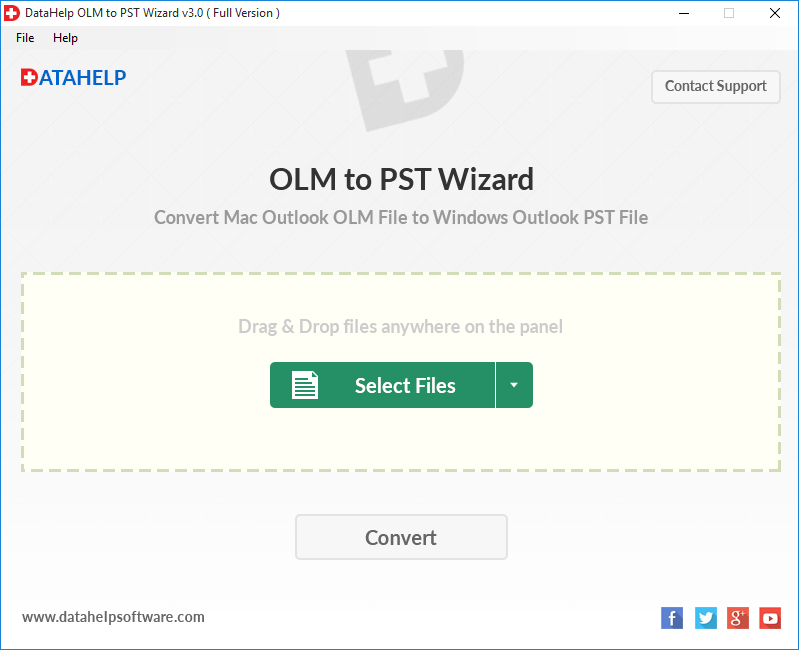
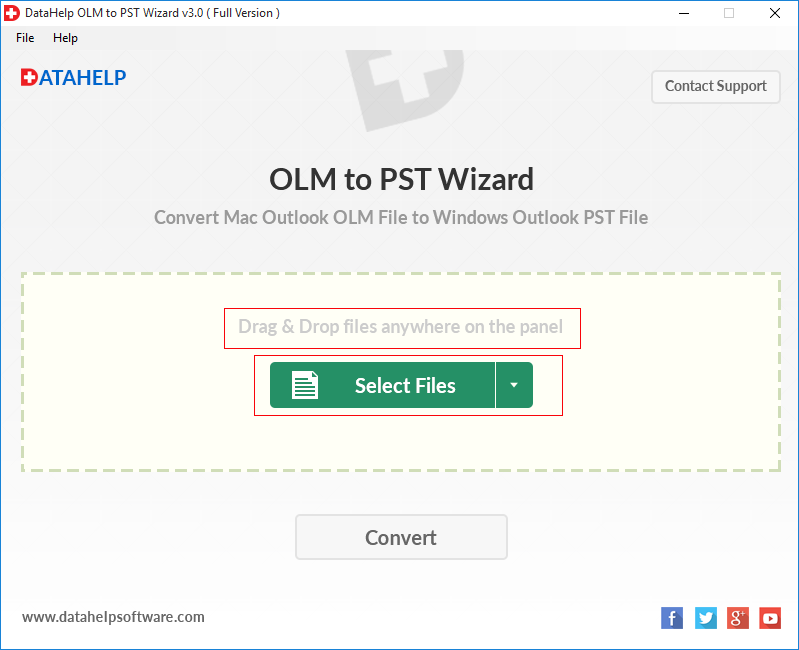
DataHelp Software is designed to quickly convert OLM to PST format using it's simple drag & drop interface that ensure smooth and accurate migration.

  • Mac Migration: When you switch from a Mac to a Windows computer then requires converting OLM files to PST to access your old emails.
  • Orphan Recovery: Accessing essential data from an orphaned OLM file when you no longer have access to the original Mac Outlook application.
  • Secure Transfer: If you are recovering information from a large or healthy Olm file ensures that your contacts, calendars and attachments are moved without any data loss.
  • Selective Export: Saving specific folders or date filtered items instead of moving your entire database to help stay organized during a platform shift.
Common Issues Fixed

Quick Fixed Issues

Common Issues Fixed By the OLM to PST Converter Tool

DataHelp OLM Converter Tool Quick Convert OLM to PST Format

  • Repair a corrupted OLM file on Mac easily
  • Recover deleted emails from OLM
  • Easily restore the OLM file to a new computer
  • Fix OLM import stuck at successfully
  • Transfer Mac Outlook to Windows Outlook without losing emails
  • Migrate OLM to PST without Outlook installed
  • Move OLM contacts to Windows Outlook

Key Features of DataHelp OLM to PST Converter

Convert Outlook for Mac OLM to PST (Windows Outlook) in Simple Steps

Batch Convert

Batch Convert OLM Files to PST

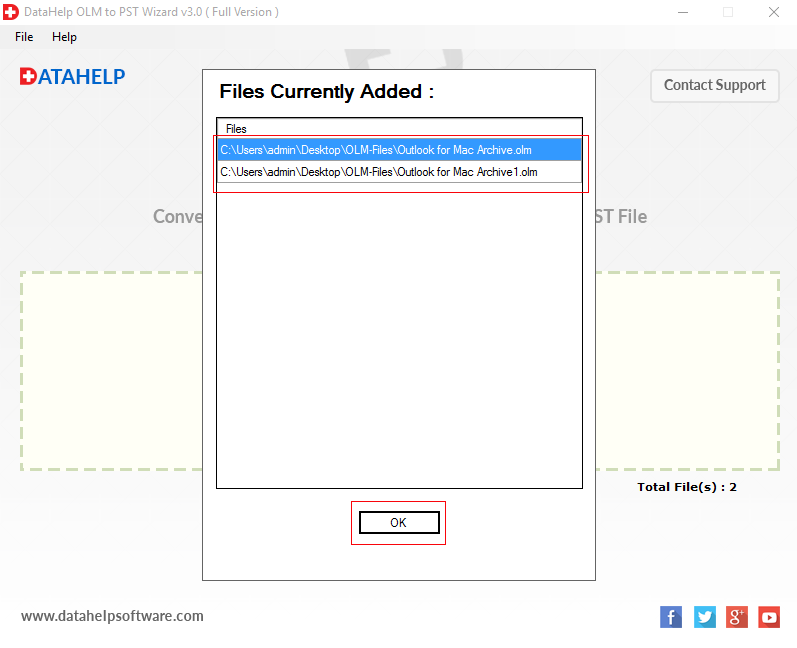
Save time by moving multiple Mac Outlook mailboxes to Windows at once. This software allows you to add entire folders of Olm files for a bulk conversion while keeping your original folder and sub-folder hierarchy exactly as it was.

Export Complete Mailbox Data

Export Complete Mailbox Data

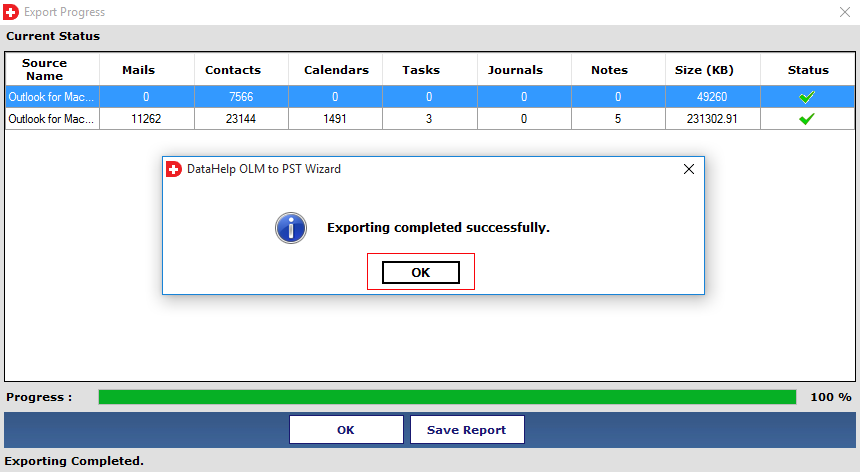
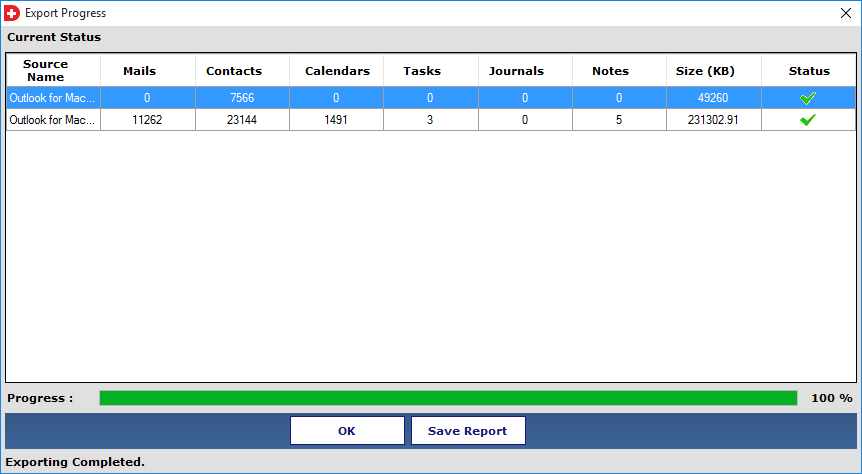
This tool handles not only emails but also safely exports your entire OLM database, including contacts, calendars and tasks. All the attachments, whether they are images or documents are preserved in their original format without any data loss.

Flexible File Selection Options

Flexible File Selection Options

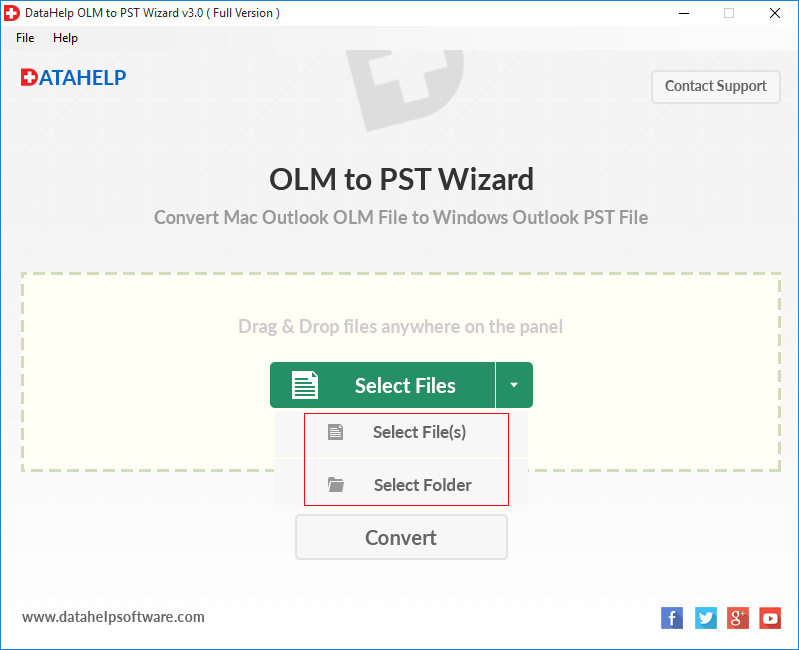
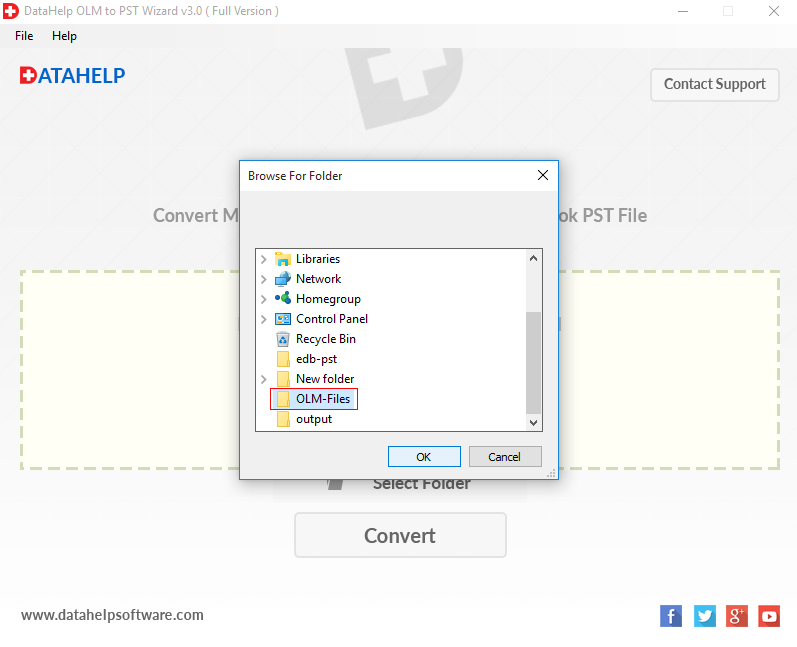
Choose how you work with two easy ways to add your data Folder Selection: You can select multiple OLM files at once or a single file manually. And second Drag and Drop: Select OLM files from your computer and insert them directly into the software panel for faster processing.

Maintain Complete Data Integrity

Maintain Complete Data Integrity

All your email details remain untouched. Even after the move all the metadata including To, Subject, CC, BCC and timestamps stay the same as it appeared in Mac Outlook. This ensures a smooth transition with no missing information.

Split Large Files

Split Large Files by Size

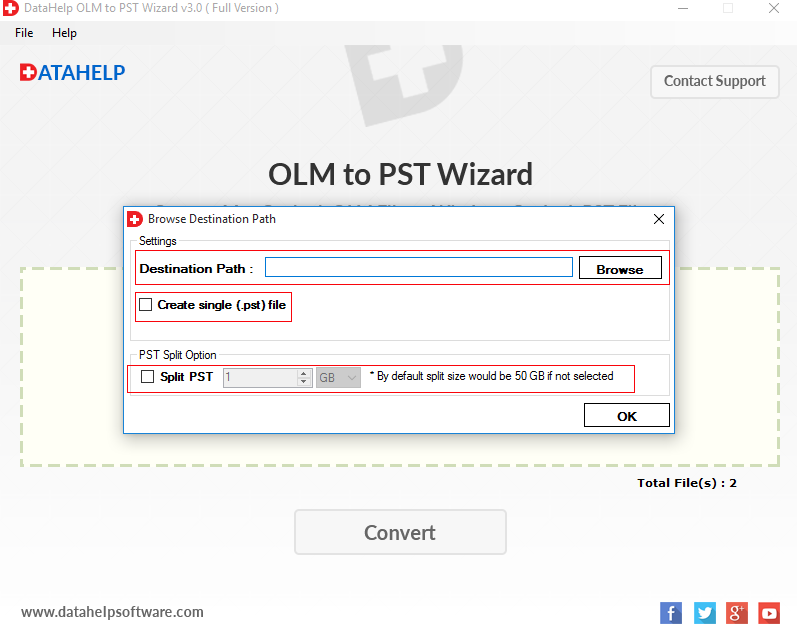
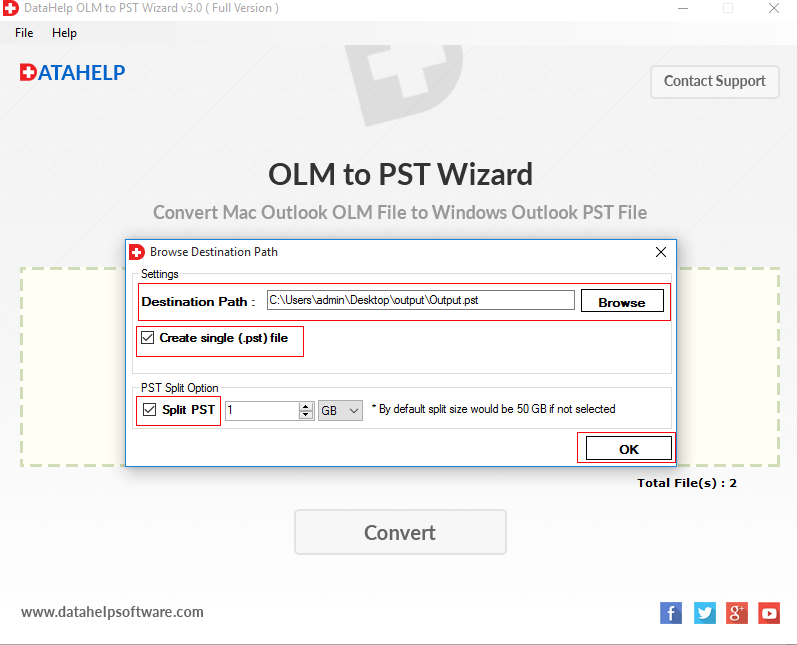
Avoid the risk of large files by splitting your PST into smaller but more manageable parts. This feature helps you prevent performance lag in Outlook and ensures that your newly created files are stable and easy to open.

Pause and Resume Control

Pause and Resume Control

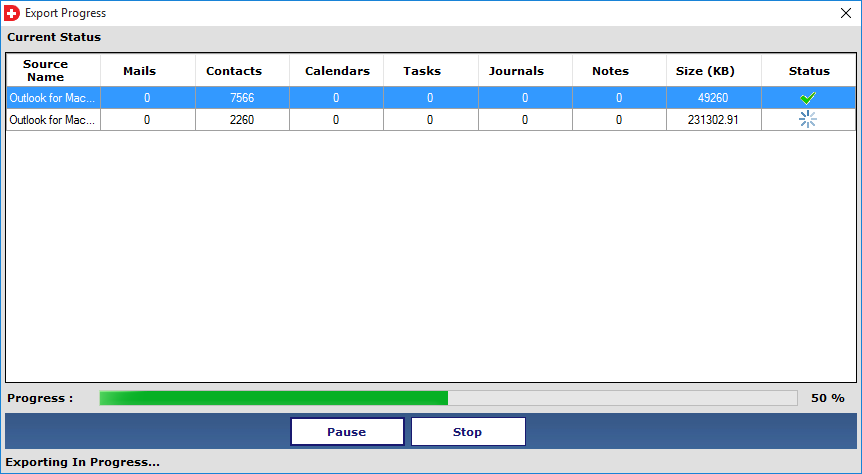
If you need to free up your system resources so you can pause the conversion process and resume where you left off later and also use the option of merging everything into a single PST or creating separate files for each OLM.

No File Size Restrictions

No File Size Restrictions

This tool can handle your OLM file whether it is 1GB or 50GB. There are no limits on the size of the data that you can convert that makes it the perfect choice for large-scale migrations from Outlook for Mac 2011, 2016, 2019 and 2021.

Smart Consolidation Options

Smart Consolidation Options

Manage the data your way by using the Create a single PST option to merge multiple OLM folders into one file or uncheck it to keep every OLM file as its own separate PST. Try this out with the free version to see how it fits your workflow.

Why Choose DataHelp OLM to PST Tool

Best All in One OLM to PST Converter Software to Convert OLM to PST Format

DataHelp OLM to PST Converter Tool

  • Maintains original folder structure
  • Converts massive files without crashing
  • Keeps all hidden email metadata
  • One-click batch conversion process
  • Runs smoothly on low-power Computers

Other Manual Online Tools

  • Fails to organise your email folders
  • Crashes or freezes on large databases
  • Frequently loses dates, BCC and other metadata
  • Requires complex manual technical steps
  • Consumes too much computer memory

OLM to PST Converter Technical Specifications

System Specification of Tool to Convert Large OLM Files to PST

DataHelp OLM to PST Converter

Version 3.0
File Size 7.0 MB
MD5: 7bf95b28e3c67634694314ae3b62197c
License Trial / Full
Download Now

100% Safe & Secure Download

What's New in This Version

⚑ Faster Scanning Engine
πŸ” Improved Data Preview
πŸ›‘οΈ Enhanced Stability

System Requirements

  • πŸ’» Operating System: Windows 11, 10, 8.1, 8, 7
  • 🧠 512 MB of RAM (1 GB is Recommended)
  • πŸ’Ύ 50 MB of Free Hard Disk Space Required
  • βš™οΈ 1 GHz Processor(2.4 GHz is recommended)
  • πŸ“¦ Supports 32-bit & 64-bit OS
  • πŸ” Admin Privileges Required
Prerequisites & Resources

Resources and guide how to use DataHelp OLM to PST Converter Software

How to Convert OLM File to PST? Step by Step Guide

Convert OLM Files to PST Format Easily

Buy OLM to PST Converter Full Version

Purchase Full Version to Convert OLM File to PST Format

Buy OLM to PST Converter Software

Purchase Full Version to Convert OLM File to PST Format Accurately
Feature and Capability Free Edition Full Edition
Add OLM Files to Panel
All Outlook Versions Supported
Preview Emails and Attachments
Full Windows OS Compatibility
Split Large PST by Size
Compatible with Windows 11, 10, 8.1, 8, 7 and Earlier
Export Limit 10 Emails per folder Unlimited
Cost Free $39
Buy Links  Download Now  Buy Now

How Does DataHelp OLM to PST Tool Works?

OLM to PST Converter Tool to Convert OLM Files into PST Format

01

Add OLM File

Open the software and upload your Mac OLM file.

02

Convert to PST

The tool will convert your file to the PST format.

03

Preview Data

You can check all your emails and attachments before saving them.

04

Save Converted File

Choose a safe folder to save your converted files.

Trusted by Professionals Worldwide

DataHelp Software is Trusted Worldwide for Safe and Accurate OLM to PST Conversion

Customer Reviews

Explore Our Client’s Success Stories

Awards & Reviews

techradar-vector-logo

techradar-vector-logo

techradar-vector-logo

techradar-vector-logo

Frequently Asked Questions

Find Answers to Common Questions For OLM to PST File Converter Software

You can convert your files in 4 simple steps:

  • Download and install the OLM to PST Converter.
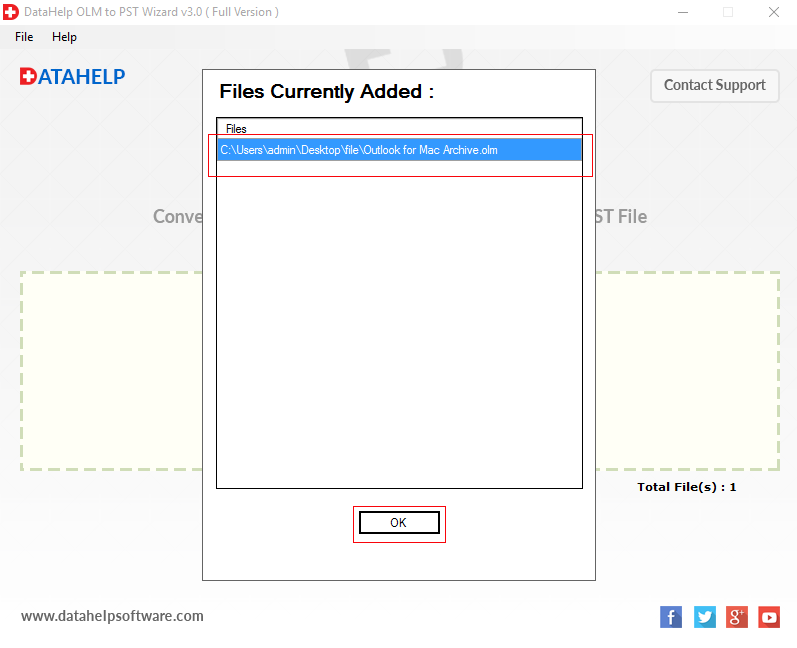
  • Browse and select your Mac OLM files.
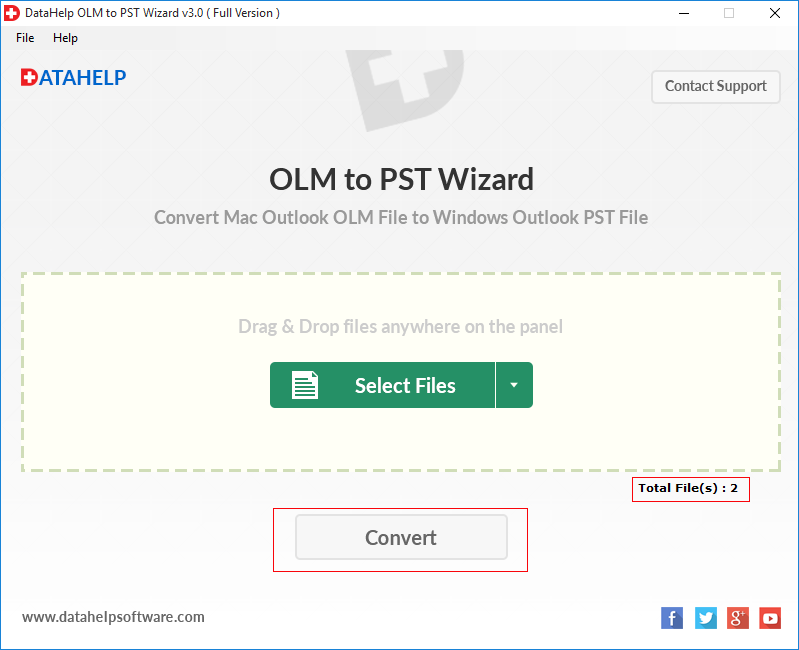
  • You can apply advanced filters and now click the Convert button.
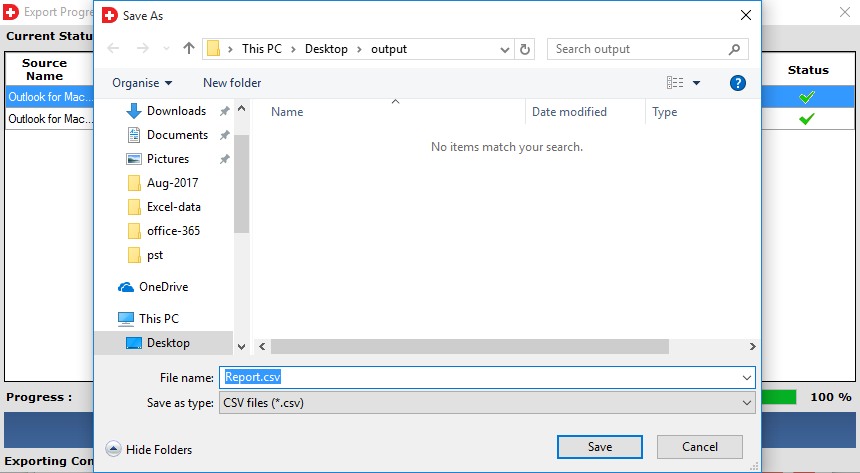
  • Next you need to Save the exported PST file to your chosen local folder.

Yes, if you only need to access a few specific items for business then the software allows you to export selective files. Use the Select File option to add only the data that you need to convert.

This converter is designed for healthy OLM files. If your file is severely corrupted then this software may not work properly. We recommend ensuring that your OLM file is healthy before starting the migration for the best results.

Not at all as the our OLM to PST converter software can handle the data whether your file is a few MBs or several GBs, as there is no file size limitation. We recommend using the full version for a smooth experience for very large databases.

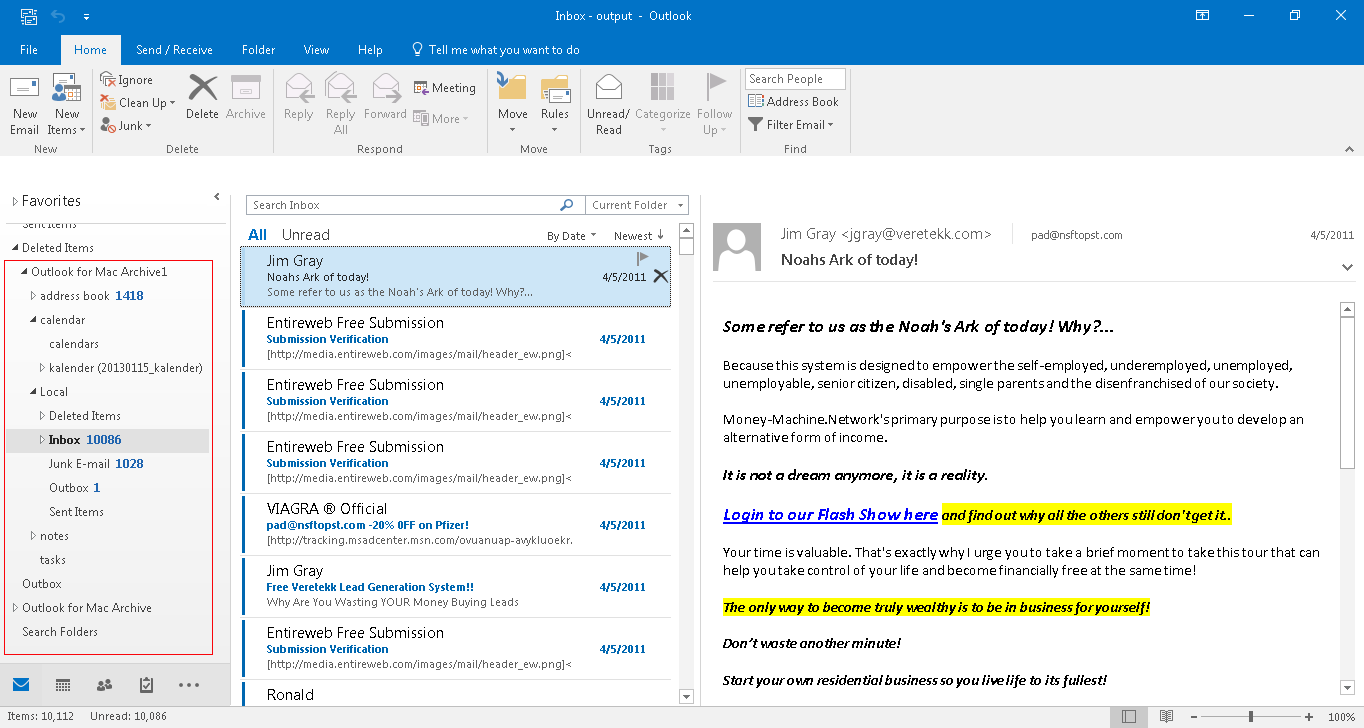
Yes absolutely our tool is designed to maintain the exact folder structure of your Mac Outlook mailbox. Your Inbox, Sent Items and custom folders will appear in Windows Outlook as they did on your Mac.

No you do not need to have Mac Outlook installed on your Windows system to run the conversion but yes you only need Windows Outlook to open the final PST file.